Best for
New FPV pilots who want protected propellers, assisted hovering, simulator support and a clearer digital view before progressing to manual flying.
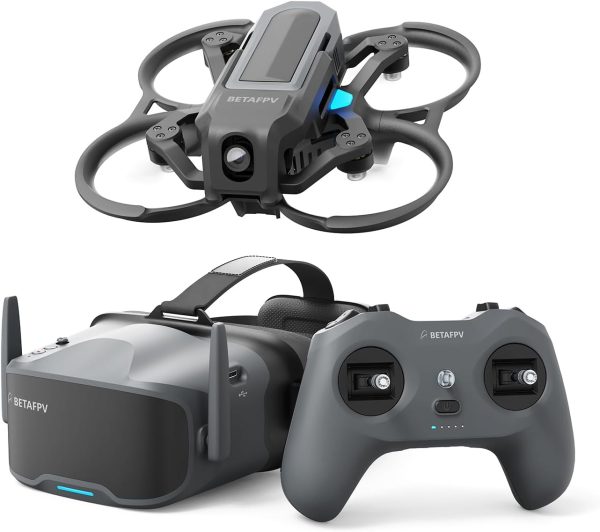
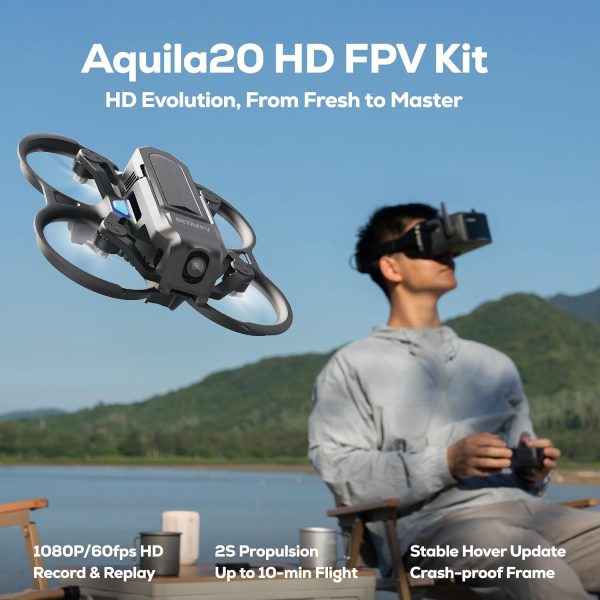
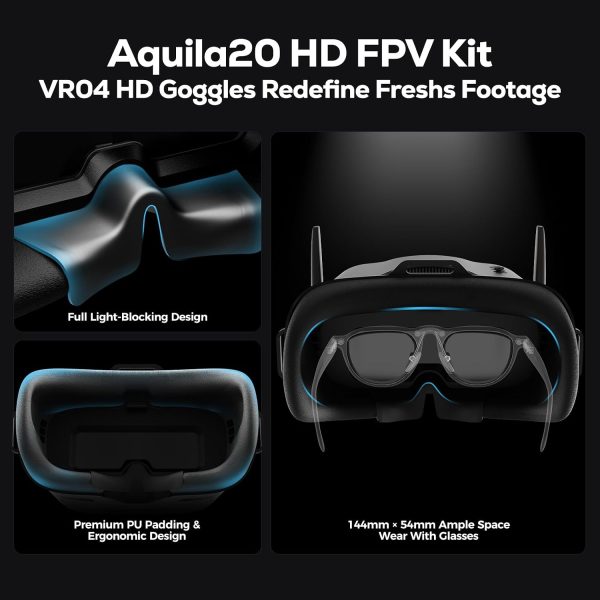
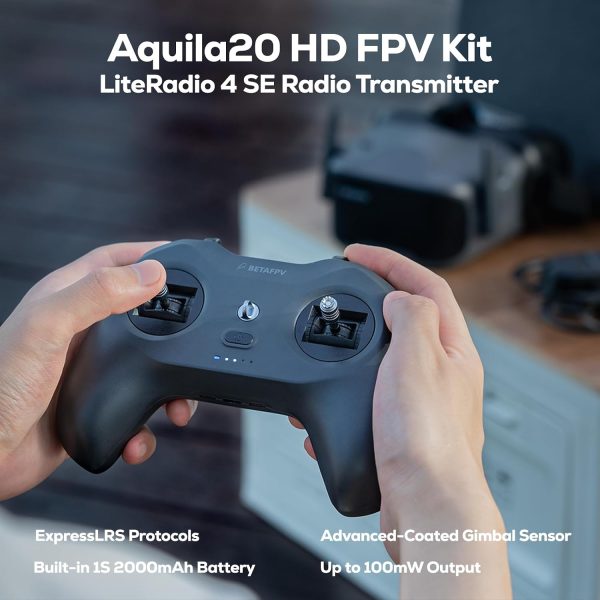
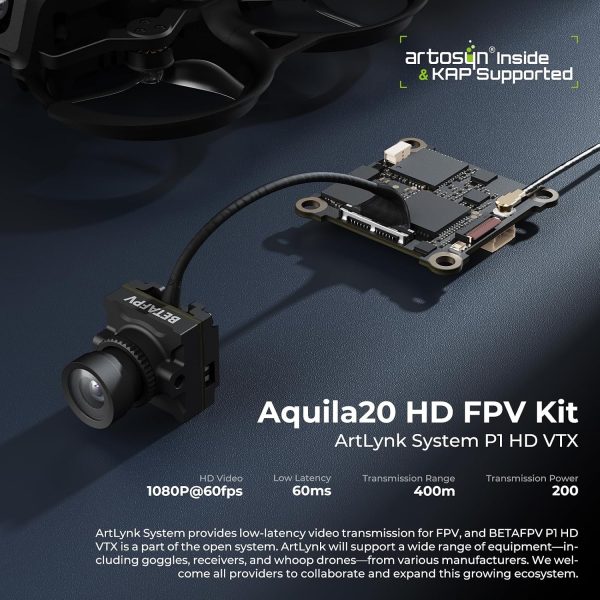
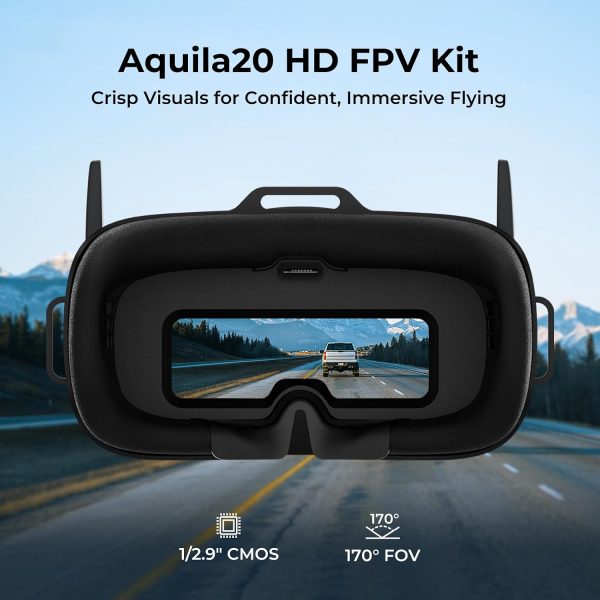
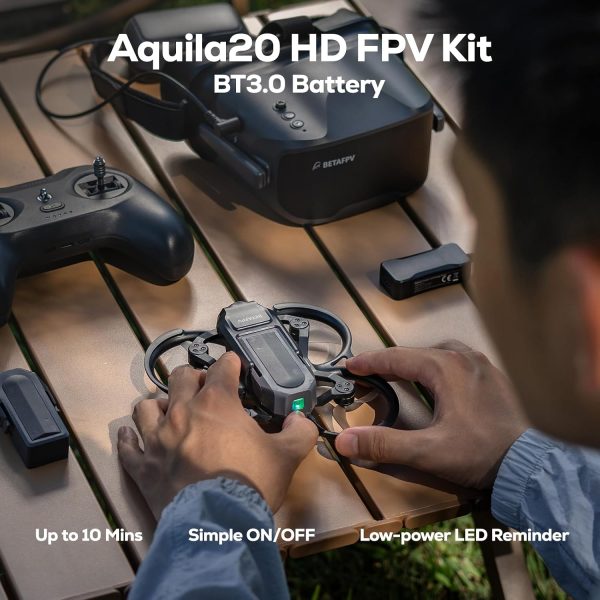
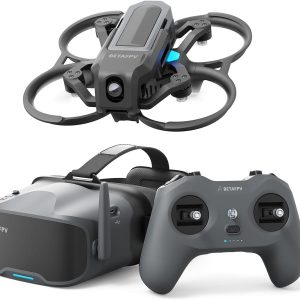
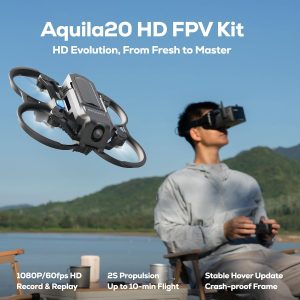
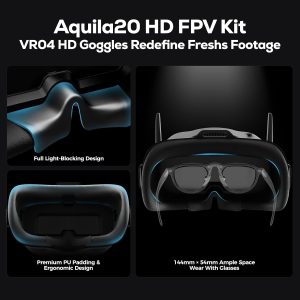
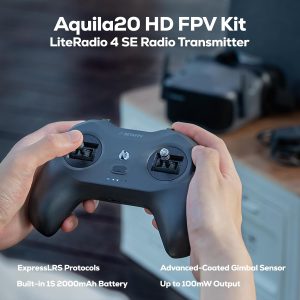
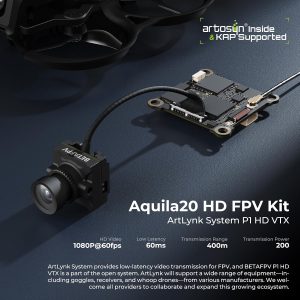
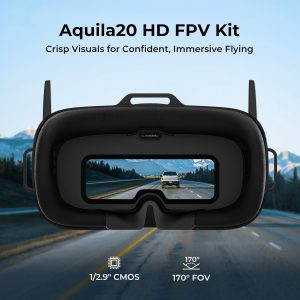
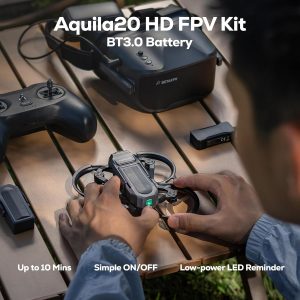
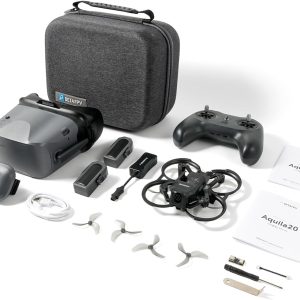
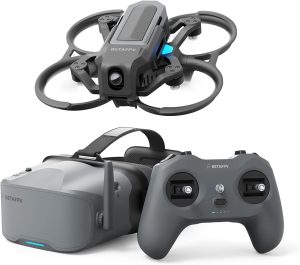
The BETAFPV Aquila20 HD is a complete digital RTF FPV kit with a 1080p P1 video feed, assisted hovering, manual flight modes and protected propellers.
The BETAFPV Aquila20 HD FPV Kit is a ready-to-fly digital FPV package designed to help a beginner progress from assisted hovering to manual flying without starting with a blurry analog video feed. It combines the protected Aquila20 HD whoop, LiteRadio 4 SE controller and VR04 HD goggles with BETAFPV’s P1 digital video system.
Its biggest advantage over the standard Aquila20 is the 1080p/60fps digital feed. Its biggest limitation is that P1 uses the ArtLynk ecosystem rather than DJI O4, Walksnail or HDZero. Buyers should understand that compatibility distinction—and verify the current firmware and Amazon bundle—before investing in the kit.
Best for
New FPV pilots who want protected propellers, assisted hovering, simulator support and a clearer digital view before progressing to manual flying.
Not ideal for
Buyers who already own DJI O4, Walksnail or HDZero goggles, or pilots who want a highly customizable traditional FPV build.
Verify first
Confirm the seller’s package contents, firmware versions, goggle fit, replacement-part availability and whether the ArtLynk P1 ecosystem fits your longer-term plans.
| Product type | Digital HD ready-to-fly FPV whoop kit |
|---|---|
| Video system | ArtLynk P1 digital HD system |
| Video resolution | 1080p at 60fps |
| Manufacturer-rated latency | Approximately 60 milliseconds, glass to glass |
| Video transmitter | 200mW P1 HD VTX |
| Manufacturer-rated range | Above 400 meters under suitable conditions |
| Camera | 1/2.9-inch CMOS sensor with 170-degree field of view |
| Control link | ExpressLRS 2.4 GHz V3 |
| Controller | LiteRadio 4 SE |
| Goggles | VR04 HD FPV goggles |
| Battery | Aquila20-exclusive 2S HV 1100mAh battery with BT3.0 connection |
| Manufacturer-rated flight time | About 10 minutes |
| Takeoff weight | 127 ± 1 gram |
| Flight modes | N, S and M modes, plus Turtle Mode recovery |
The Aquila20 HD fills the gap between an inexpensive analog trainer and a more expensive DJI-style FPV camera drone. The protected frame is built to tolerate normal beginner crashes, while the three flight modes provide a structured progression path.
N Mode uses altitude hold and stable hovering to reduce the workload for a first-time pilot. S and M modes remove the assistance and provide progressively more direct control for flips, rolls and manual FPV flying. Turtle Mode can help turn the drone upright after some crashes without walking over to retrieve it.
The clearer digital feed is useful when learning because obstacles, branches and orientation cues are easier to see than through a basic analog picture. The VR04 HD goggles can also record the received HD feed to a compatible microSD card.
The Aquila20 HD does not use DJI O4, Walksnail or HDZero. Its P1 air unit and VR04 HD goggles use the ArtLynk digital protocol.
That distinction matters because digital FPV equipment is not universally interchangeable. Standard analog goggles cannot display the P1 digital signal, and the included VR04 HD goggles cannot automatically receive drones built for unrelated digital systems.
BETAFPV currently identifies the Aquila20 P1, Meteor75 Pro P1 and certain third-party ArtLynk aircraft as compatible options. The ecosystem may grow, but buyers should base the purchase on products that are currently documented rather than assuming future support.
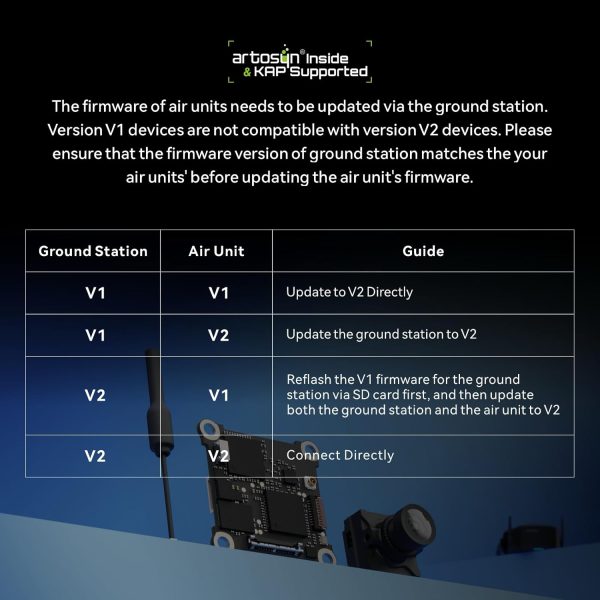
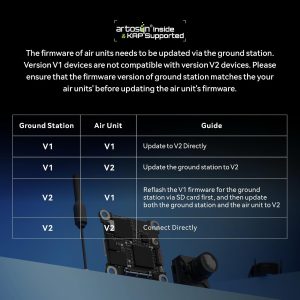
Firmware also affects compatibility. BETAFPV says third-party ArtLynk equipment may require firmware version V2.0.5 or later and warns that V2 firmware is not compatible with earlier V1 versions. The goggles and air unit must be placed on matching compatible firmware before binding or upgrading.
BETAFPV rates the 200mW P1 system for more than 400 meters under suitable conditions. That figure is a transmission-system rating, not a promise that every buyer should fly 400 meters away. Buildings, interference, antennas, firmware, pilot position and local operating rules can reduce practical range.
The manufacturer rates flight time at approximately 10 minutes with its proprietary 2S HV 1100mAh battery. Aggressive manual flying, repeated acceleration, wind and battery condition can shorten that substantially. Leave enough power to land safely rather than flying until the video or control system shuts down.
The official standard package contains two flight batteries. This allows alternating flights, but each battery should cool before being recharged.
The included LiteRadio 4 SE uses ExpressLRS 2.4 GHz V3 and supports Bluetooth simulator connections. Simulator practice is still valuable even though the drone includes assisted hovering. It allows the pilot to learn throttle control, coordinated turns and disarming before switching to S or M Mode.
BETAFPV rates the controller for more than eight hours of use at its specified output setting. The controller has its own rechargeable battery and uses USB-C charging.
Before every flight, confirm the selected flight mode and identify the arm/disarm control. N, S and M modes behave differently, and accidentally taking off in a manual mode can cause the drone to accelerate much more aggressively than expected.
Limited retailer feedback is mixed. Owners frequently value the clearer video, stable assisted mode and crash-resistant frame, while some report goggle fit or light-leakage problems, charger frustrations, firmware difficulty and shorter flights during aggressive flying. These are user-reported themes rather than guaranteed outcomes.
One retailer report also describes a thermal warning when the powered drone remained stationary. Digital transmitters rely on airflow, so avoid leaving the aircraft powered on unnecessarily without flying and follow BETAFPV’s current operating and firmware instructions.
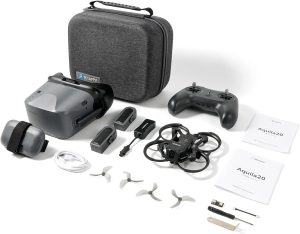
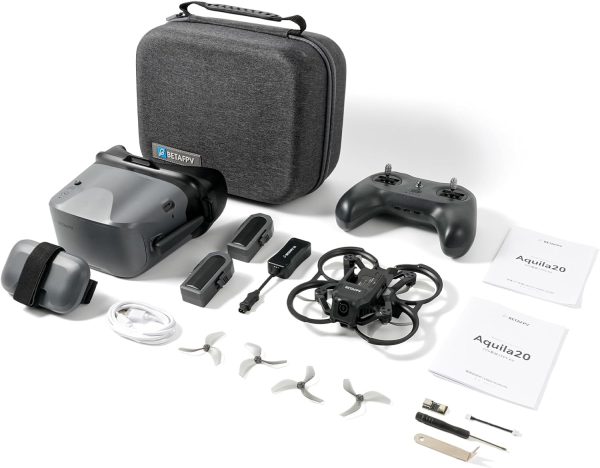
BETAFPV lists the following contents for its standard Aquila20 HD package. Because the current Amazon offer is sold by a third-party seller, verify that the retailer bundle matches before ordering:
The standard BETAFPV Aquila20 FPV Kit uses analog video and is the simpler lower-cost choice. The HD model adds a clearer 1080p digital feed, longer manufacturer-rated transmission distance and the P1/ArtLynk ecosystem.
Choose analog if affordability and broad analog-goggle compatibility matter most. Choose the HD kit if video clarity is important enough to justify committing to its smaller digital ecosystem.
If you want stabilized 4K recording and a more integrated cinematic FPV experience, compare the DJI Avata 2. It is a different and more expensive class of product, but it provides a clearer upgrade path for creators.
Specifications and standard package contents were verified against the official BETAFPV Aquila20 HD product page. The Amazon offer covered here is ASIN B0GLFLNHXQ and was listed as shipping from Amazon and sold by Yong Li Da when checked.
Use the product page for the purchase decision and the guides below for deeper research.
The BETAFPV Aquila20 FPV Kit is the best beginner FPV drone kit for most first-time pilots. It is a genuinely complete analog ready-to-fly set with a protected drone, ExpressLRS radio, goggles, two flight batteries, charger, spare...
A VR drone is usually an FPV drone that sends a live camera view to dedicated goggles. It is not normally a drone that works with any consumer virtual-reality headset.
The best FPV drone depends on what you want to learn or record. Choose the DJI Avata 2 for the most polished premium package and stabilized 4K footage.
The BETAFPV Aquila20 HD is one of the more approachable ways to begin flying digital FPV. Assisted hovering, protected propellers, simulator support and a complete radio-and-goggle package reduce the number of separate purchasing decisions a new pilot must make.
The clearer P1 video feed is the main reason to choose it over the analog Aquila20. The decision makes sense when video clarity and a structured progression path are more important than ecosystem size or maximum upgrade flexibility.
Buyers who already know they want DJI O4, Walksnail or HDZero should start within that ecosystem instead. Buyers comfortable with ArtLynk’s current limitations may find the Aquila20 HD a practical bridge from assisted flight into genuine manual FPV.
Yes. N Mode provides altitude hold and stable hovering, while the protected frame reduces propeller exposure. Simulator practice and careful mode checks are still strongly recommended.
No. The standard Aquila20 uses an analog video transmitter and VR04 analog goggles. The HD model uses the P1 digital air unit and VR04 HD goggles.
No. It uses the ArtLynk P1 digital system. It is not automatically compatible with DJI O4, Walksnail or HDZero goggles.
BETAFPV rates it for about 10 minutes. Actual time depends on flight mode, throttle use, wind, battery condition and how much reserve is kept for landing.
BETAFPV rates the 200mW video system for more than 400 meters in suitable conditions. Practical distance may be shorter and must remain within applicable operating rules.
Yes. The goggles support HD recording to a compatible microSD card. Verify the required card specifications and whether a card is included before buying.
| Brand | BETAFPV |
|---|---|
| Model | Aquila20 HD FPV Kit |
| Product Type | Digital HD RTF FPV Whoop Kit |
| Skill Level | Beginner to Advanced Training |
| Video System | ArtLynk P1 Digital HD |
| Video Resolution | 1080p at 60fps |
| Rated Video Latency | Approximately 60ms glass to glass |
| Video Transmitter | 200mW P1 HD VTX |
| Rated Video Range | Above 400m in suitable conditions |
| Camera Sensor | 1/2.9-inch CMOS |
| Camera Field of View | 170 degrees |
| Camera Tilt | 10 to 30 degrees |
| Control Link | ExpressLRS 2.4GHz V3 |
| Controller | LiteRadio 4 SE |
| FPV Goggles | VR04 HD FPV Goggles |
| Flight Controller | Aquila20 V1.0 |
| Battery | Aquila20 Exclusive 2S HV 1100mAh with BT3.0 |
| Included Flight Batteries | 2 |
| Rated Flight Time | About 10 minutes |
| Flight Modes | N, S and M Modes with Turtle Mode |
| Takeoff Weight | 127 ± 1g |
| Wheelbase | 100mm |
| Frame Material | PA410 |
| Motors | 1103 10500KV |
| Propellers | Gemfan 2218 3-Blade |
| Charger | 2S HV Charger and Voltage Tester with BT3.0 |
The Aquila20 HD uses BETAFPV’s P1 digital air unit and the ArtLynk video protocol. The included VR04 HD goggles are designed to receive this signal.
BETAFPV currently identifies the following as supported ArtLynk products:
Confirm the firmware on both the VR04 HD goggles and P1 air unit before updating or binding equipment. BETAFPV says third-party compatibility may require V2.0.5 or later and warns that its V2 firmware is not compatible with earlier V1 releases.
The ground station and air unit should be placed on matching compatible firmware. Do not begin an update until you have the official files and instructions for both devices.
Verify the aircraft’s exact video protocol, firmware requirement and control receiver. Video compatibility and ExpressLRS control compatibility are separate decisions: compatible goggles do not guarantee that the radio will bind without the correct ELRS version and configuration.
The drone uses Aquila20-exclusive 2S HV 1100mAh batteries with a BT3.0 connection. Do not substitute batteries based only on voltage or capacity. Physical fit, connector wiring and supported charging voltage must all match.
The standard package includes a 2S HV charger and voltage tester. Charge in a fire-resistant area, remain present during charging and stop using any battery that is swollen, damaged, unusually hot or behaving inconsistently.
Let a flight battery cool before recharging it. Do not store the batteries fully charged for extended periods unless BETAFPV’s battery-management system specifically handles storage voltage.
Digital video transmitters generate heat and rely on airflow. Avoid leaving the aircraft powered on and stationary for longer than necessary during setup. Disconnect the battery if the system displays a thermal warning.