Best for
First-time FPV buyers, travel and action creators, low-altitude cinematic flying, and pilots who want a ready-to-use DJI ecosystem.
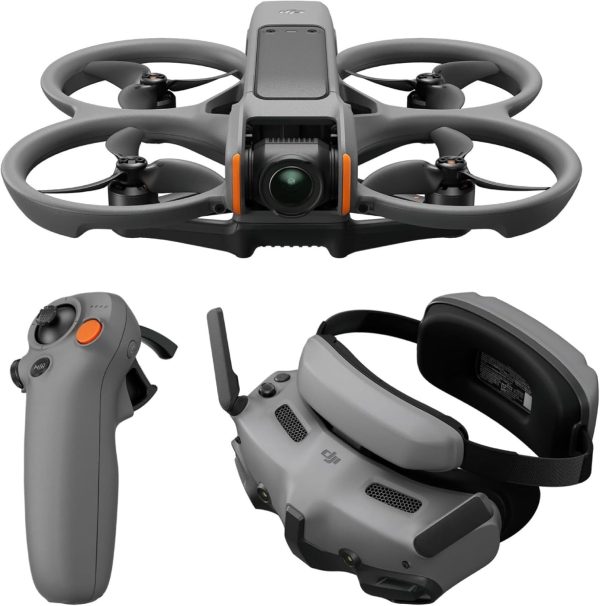
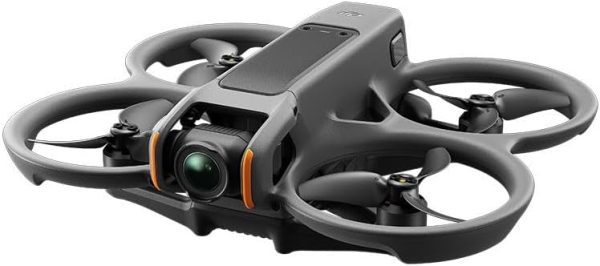
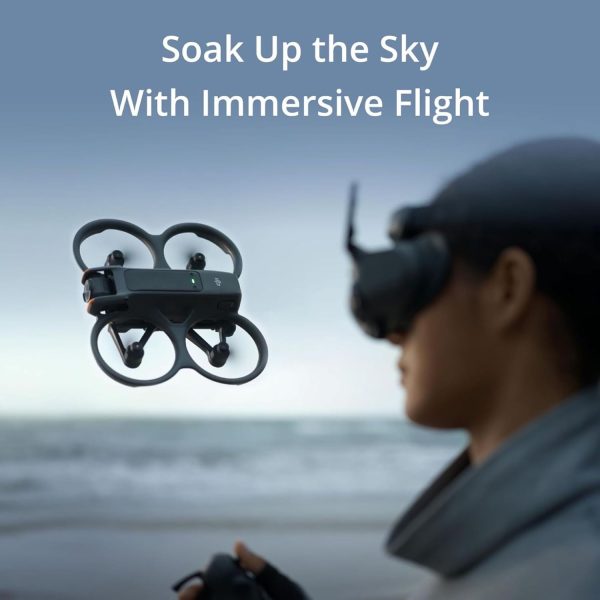
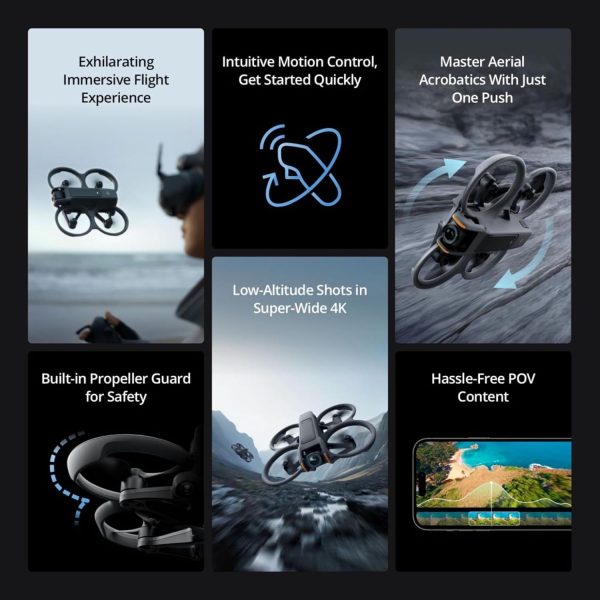
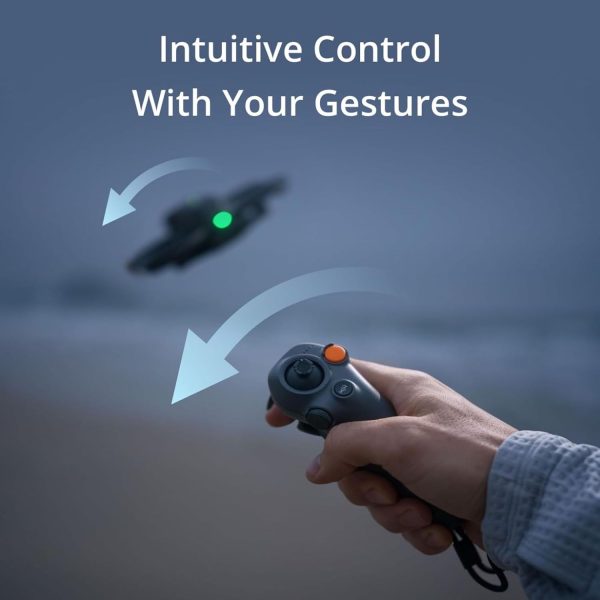
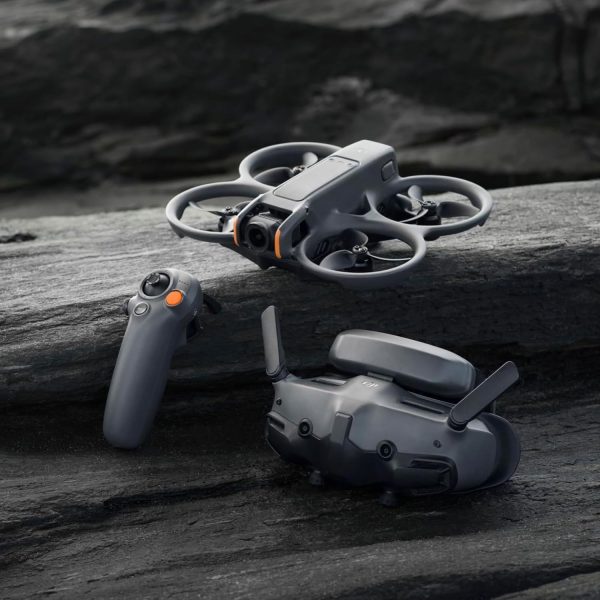
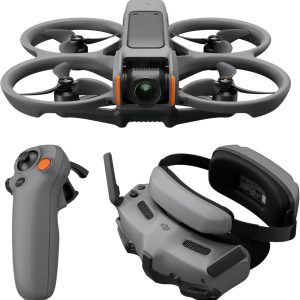
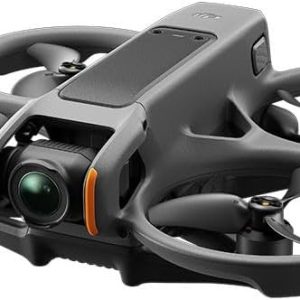
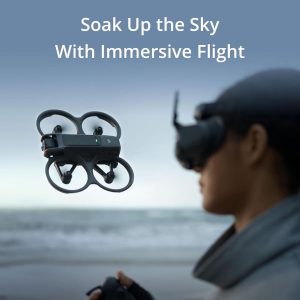
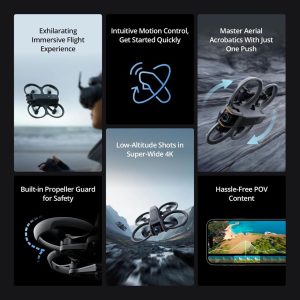
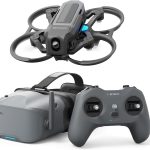
The DJI Avata 2 is an immersive FPV camera drone with a 1/1.3-inch sensor, stabilized 4K video, built-in propeller guards, DJI O4 transmission, and an approachable Goggles 3 plus RC Motion 3 control path.
The DJI Avata 2 is an immersive FPV camera drone for people who want to fly through goggles, capture wide stabilized 4K footage, and avoid building a custom FPV system from separate parts. The Goggles 3 and RC Motion 3 combination is unusually approachable for a first FPV experience, while an optional DJI FPV Remote Controller unlocks full Manual mode for pilots who are ready to learn traditional stick control.
It is best viewed as a protected cinematic FPV drone, not a conventional tracking camera drone or a competition-grade freestyle quad. The built-in propeller guards, Return to Home functions, Normal mode, and flight-pause control reduce the learning barrier, but they do not make it collision-proof. DJI states that the Avata 2 has no obstacle avoidance.
Best for
First-time FPV buyers, travel and action creators, low-altitude cinematic flying, and pilots who want a ready-to-use DJI ecosystem.
Not ideal for
Automatic subject tracking, obstacle-avoidance-dependent flying, long camera-drone missions, racing, or unrestricted freestyle performance.
Verify before buying
The exact battery count, goggles, controller, charging hub, charger, bag, seller, warranty, and return terms included with the selected bundle.
| Specification | DJI Avata 2 |
|---|---|
| Product type | Immersive FPV camera drone with integrated propeller guards |
| Takeoff weight | Approximately 377 g |
| Camera | 1/1.3-inch image sensor, 12 MP, 155° field of view |
| Video | 4K up to 100 fps; 10-bit D-Log M and supported HDR modes |
| Stabilization | Single-axis mechanical tilt gimbal with RockSteady 3.0+ and HorizonSteady electronic stabilization |
| Maximum flight time | Approximately 23 minutes in DJI controlled test conditions |
| Video transmission | DJI O4; rated up to 13 km FCC or 10 km CE/SRRC/MIC when unobstructed and free of interference |
| Maximum horizontal speed | 8 m/s Normal, 16 m/s Sport, or 27 m/s Manual in DJI test conditions; regional limits apply |
| Positioning and sensing | GPS, Galileo and BeiDou with downward and backward visual positioning; no obstacle avoidance |
| Storage | 46 GB internal storage plus supported microSD cards |
Specifications and compatibility were checked against DJI’s official Avata 2 specifications and Avata 2 FAQ on July 14, 2026. Rated flight, speed, and transmission figures are controlled-condition maximums, not promises of everyday performance.
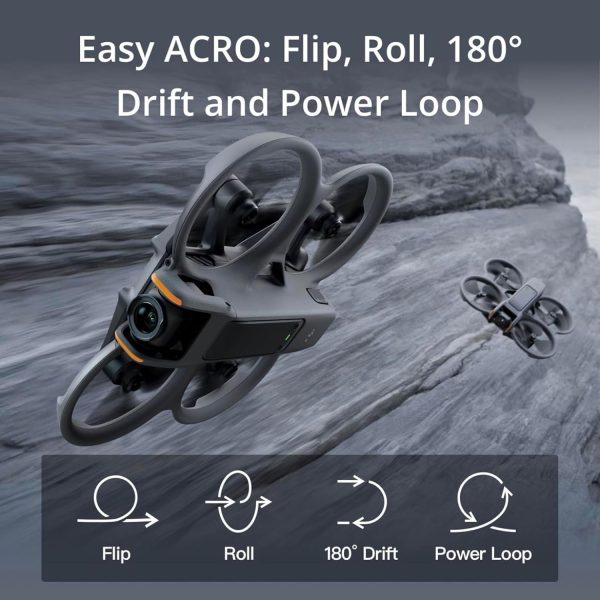
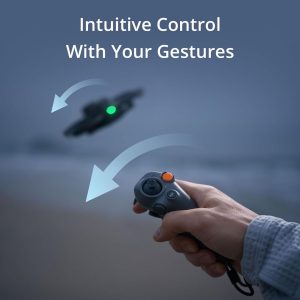
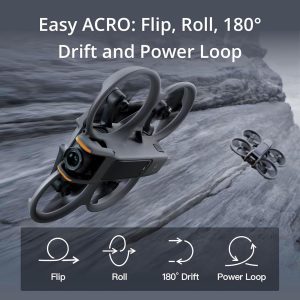
RC Motion 3 lets the pilot point and steer using hand movement instead of learning two-stick Manual mode immediately. Normal and Sport modes add stabilized flight behavior, while Easy ACRO can perform selected flips, rolls, drifts, and power loops without requiring the pilot to execute the full stick sequence. This makes the Avata 2 easier to approach than a typical self-built FPV quad, although safe practice is still essential.
The 155° field of view creates a more immersive perspective than a conventional camera drone. The 1/1.3-inch sensor records up to 4K/100 fps in supported modes, while RockSteady and HorizonSteady help control vibration and horizon movement. Pilots who prefer to stabilize in post can disable electronic stabilization and use compatible wide-angle footage with Gyroflow.
The aircraft includes 46 GB of internal storage and also accepts supported microSD cards. Internal storage is a meaningful safety net, but frequent 4K recording still makes a suitable V30-class microSD card and a regular file-transfer routine sensible additions.
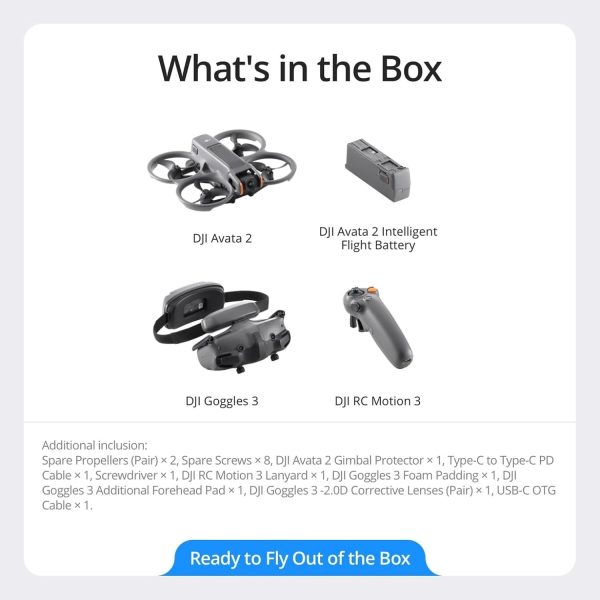
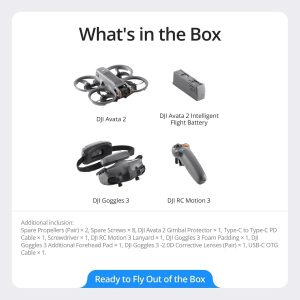
The supplied Amazon listing is the DJI Avata 2 Fly More Combo with one battery, DJI Goggles 3, and DJI RC Motion 3. That configuration contains the essential control and viewing hardware for assisted FPV flight. It makes sense for a buyer who wants the lowest complete-kit entry cost or expects to fly short sessions near a charging option.
A multi-battery bundle is usually the better fit for field sessions because each flight includes setup, takeoff, a safe reserve, landing, and battery cooling. Bundle names and contents can vary by seller, so do not assume that every three-battery listing includes the same charging hub, bag, memory card, or accessories.
A drone-only package is appropriate only when the buyer already owns a currently compatible goggles-and-controller pairing. Similar-looking DJI goggles and controllers are not universally interchangeable, and mixed-generation combinations require careful checking.
At approximately 377 g, the Avata 2 is above the 250 g U.S. recreational registration threshold. The FAA also requires recreational pilots to complete TRUST, and registered drones must comply with Remote ID rules unless an allowed exception applies. Because goggles block the pilot’s direct view, U.S. recreational FPV flyers should use a co-located visual observer in direct communication to satisfy the recreational visual-line-of-sight rule.
Rules differ by country, purpose, airspace, and location. Check the current FAA recreational flyer requirements or the relevant local aviation authority before flying.
Use the product page for the purchase decision and the guides below for deeper research.
The DJI Avata 2 is still worth buying in 2026 if you want the easiest complete route into immersive FPV flight, conventional framed 4K footage, and a path from motion control to true Manual mode.
The BETAFPV Aquila20 FPV Kit is the best beginner FPV drone kit for most first-time pilots. It is a genuinely complete analog ready-to-fly set with a protected drone, ExpressLRS radio, goggles, two flight batteries, charger, spare...
A VR drone is usually an FPV drone that sends a live camera view to dedicated goggles. It is not normally a drone that works with any consumer virtual-reality headset.
FPV drone videography works best when the flight is designed as a camera move before the drone takes off. The aircraft, route, frame rate, stabilization method, battery plan, crew, and edit must support the same shot.
The best FPV drone depends on what you want to learn or record. Choose the DJI Avata 2 for the most polished premium package and stabilized 4K footage.
The DJI Avata 2 is a strong fit for buyers who want immersive, stabilized FPV footage without assembling and configuring a custom drone. Goggles 3, RC Motion 3, the protected frame, 46 GB of storage, and assisted flight modes make the supplied one-battery combo a practical starting point.
Its value depends on accepting the category’s tradeoffs. It is heavier and more regulated than a sub-250 g drone, has no obstacle avoidance, requires goggles, and needs a separate FPV Remote Controller for full Manual mode. Buyers who understand those limits and choose the right battery bundle get an approachable cinematic FPV system with room to grow.
It is one of the more approachable ways to start FPV when paired with RC Motion 3 and used in Normal mode. Full Manual mode remains an advanced skill and should be practiced in a compatible simulator before real flight.
No. DJI lists downward and backward visual positioning but explicitly says the aircraft does not support obstacle avoidance. The propeller guards improve physical protection; they do not detect or steer around objects.
No. Compatible DJI goggles are required to operate the aircraft.
DJI rates maximum flight time at approximately 23 minutes in controlled conditions. Plan for less usable time after accounting for flight conditions and a safe landing reserve.
The included RC Motion 3 supports motion-based control and Easy ACRO. Full Manual mode requires a compatible DJI FPV Remote Controller, which is not listed among the supplied one-battery combo contents.
For recreational use in the United States, the FAA requires registration for drones weighing 250 g or more. The Avata 2 weighs approximately 377 g, so registration is generally required. Verify current rules for your location and type of operation.
| Brand | DJI |
|---|---|
| Model | Avata 2 |
| Product Type | FPV Camera Drone |
| Skill Level | Beginner with motion control; advanced in Manual mode |
| Takeoff Weight | Approx. 377 g |
| Dimensions | 185×212×64 mm |
| Max Flight Time | Approx. 23 minutes in controlled conditions |
| Max Hover Time | Approx. 21 minutes in controlled conditions |
| Max Horizontal Speed | 8 m/s Normal; 16 m/s Sport; 27 m/s Manual |
| Max Wind Resistance | 10.7 m/s (Level 5) |
| Camera Sensor | 1/1.3-inch image sensor |
| Photo Resolution | 12 MP |
| Video Resolution | 4K up to 100 fps |
| Field of View | 155° |
| Gimbal | Single-axis mechanical gimbal (tilt) |
| Stabilization | RockSteady 3.0+ and HorizonSteady |
| Transmission System | DJI O4 |
| Rated Transmission Distance | Up to 13 km FCC; 10 km CE/SRRC/MIC when unobstructed and free of interference |
| GNSS | GPS + Galileo + BeiDou |
| Obstacle Sensing | No obstacle avoidance; downward and backward visual positioning |
| Internal Storage | 46 GB |
| External Storage | microSD supported |
| Battery | 2150 mAh Li-ion |
| Goggles Compatibility | DJI Goggles 3; Goggles N3; Goggles 2; Goggles Integra |
| Controller Compatibility | DJI RC Motion 2/3; DJI FPV Remote Controller 2/3 with supported goggles pairing |
| App | DJI Fly; LightCut for optional editing |
| EU Class | C1 |
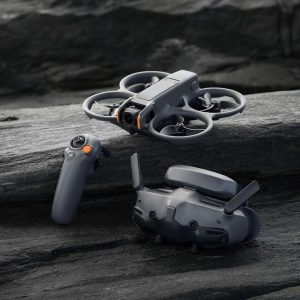
DJI Avata 2 needs compatible goggles and a compatible controller. The supplied one-battery Fly More Combo pairs DJI Goggles 3 with DJI RC Motion 3, so it contains the core hardware needed for motion-controlled flight.
RC Motion 3 is the easier starting point and supports the Avata 2’s assisted modes and Easy ACRO features. It does not provide the same control method as a two-stick FPV radio. Pilots who want full Manual mode with Goggles 3 should budget for DJI FPV Remote Controller 3 and practice in a compatible simulator before enabling Manual mode on the aircraft.
Compatibility can depend on the exact goggles, controller generation, aircraft firmware, and regional software. Update the supported devices through DJI’s current software and confirm the pairing in DJI’s official compatibility information before buying a drone-only package.
The aircraft’s approximately 377 g takeoff weight is above the U.S. recreational registration threshold. Complete the required registration and TRUST steps, confirm Remote ID status, check airspace authorization, and arrange a co-located visual observer for goggles-based recreational flight. Apply the current rules for the country and type of flight.