One DJI Mini 4K battery is enough for setup, a short practice flight, or a quick local photo. It is not the most practical setup for regular use. Two batteries are the best starting point for most owners, while three make more sense for travel, longer practice sessions, and planned photo or video work.
This DJI Mini 4K battery guide explains the published specifications, realistic flight-time planning, charging methods, compatible batteries, storage, replacement signs, and the tradeoffs between owning one, two, or three packs.
The guidance is based on current DJI specifications, support documents, the user manual, package listings, and a published hands-on review. It is not presented as original FPV Drone battery testing. Actual endurance varies by battery condition, environment, route, and flight style.
Quick answer
One battery works, but two are the practical minimum for most DJI Mini 4K owners. The advertised 31 minutes is a controlled-test maximum, not 31 minutes of normal filming time. Every flight also needs enough energy to return, descend, and land safely.
One battery
Best for first setup, brief practice near home, and buyers who are still deciding how often they will fly.
Two batteries
Best value for most beginners and casual owners. One pack can cover practice while the other is reserved for deliberate shots.
Three batteries
Best for travel, hiking, repeatable filming, and locations where a charger or enough charging time will not be available.
Featured product
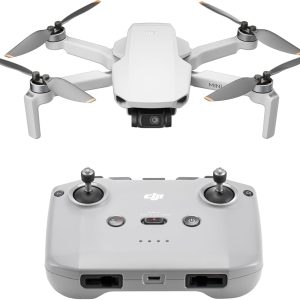
Featured gear
DJI Mini 4K Drone: Beginner 4K Camera Drone Under 249g
The DJI Mini 4K is an entry-level DJI camera drone built for beginners who want stabilized 4K footage without jumping into the higher-priced Mini models. It weighs under 249 g, supports 4K/30fps video, uses…
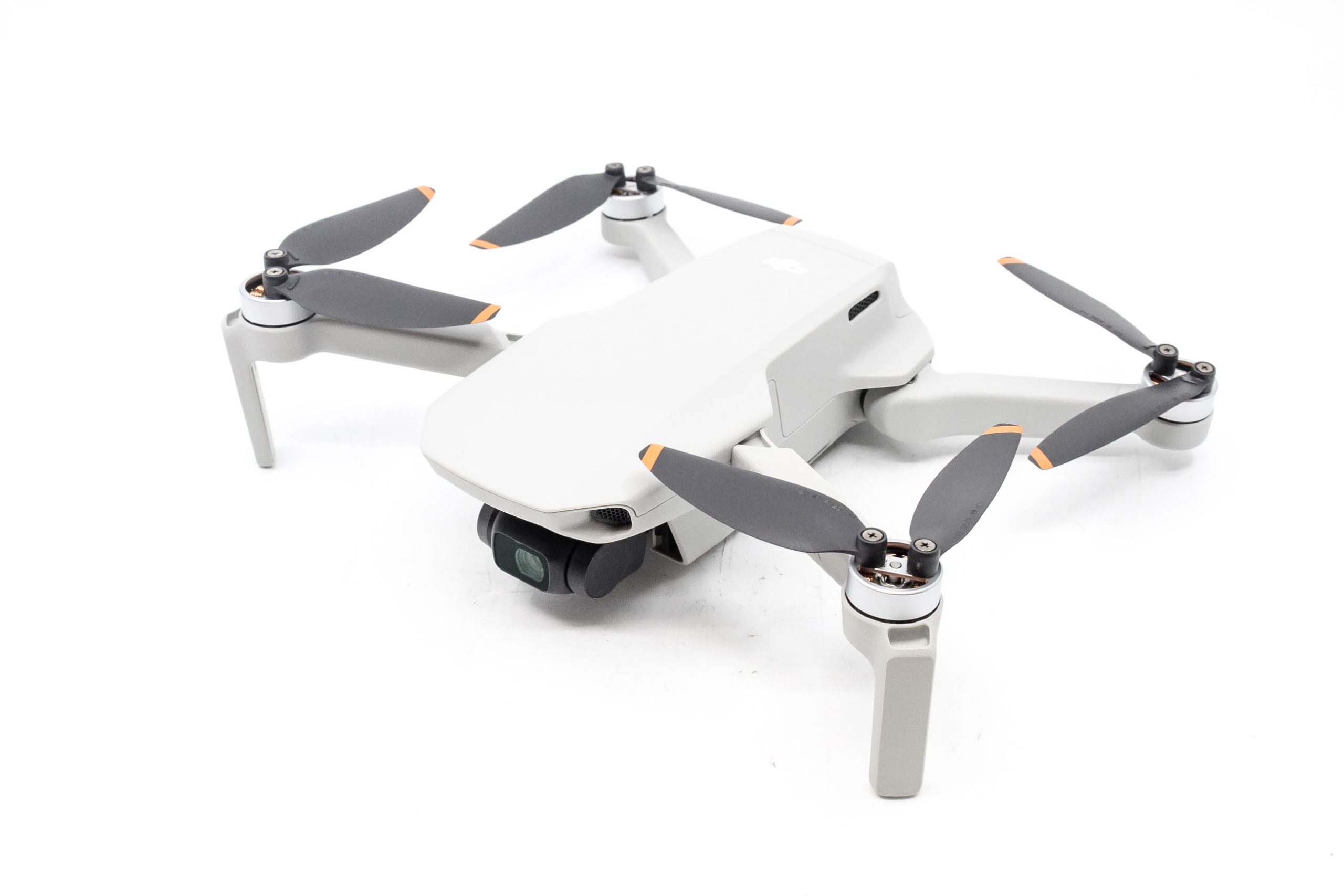
The DJI Mini 4K is an entry-level DJI camera drone built for beginners who want stabilized 4K footage without jumping into the higher-priced Mini models. It weighs under 249 g, supports 4K/30fps video, uses a 3-axis gimbal, and includes GPS-assisted flight features like Return to Home.
- Best for
- Best for new pilots who want a lightweight DJI camera drone with stabilized 4K…
- Skill level
- Beginner
- Product type
- Beginner Drones, Camera Drones, DJI Drones, Drones, Under 249g Drones
- Best for
- New pilots who want a lightweight DJI camera drone with stabilized 4K video, GPS-assisted…
- Skill level
- Beginner
- Product type
- Camera Drone
DJI Mini 4K battery specs at a glance
The DJI Mini 4K uses the DJI Mini 2 Intelligent Flight Battery. It is a 2,250 mAh lithium-ion pack weighing 82.5 g. That standard battery is already included in DJI's published aircraft weight, so adding another identical pack to your bag does not change the takeoff weight of an individual flight.
| Battery detail | Published value | Practical meaning |
|---|---|---|
| Battery name | DJI Mini 2 Intelligent Flight Battery | Use the exact product name when checking replacements or compatibility. |
| Capacity | 2,250 mAh | The stored electrical charge; it is only one part of the complete energy specification. |
| Nominal voltage | 7.7 V | The battery's normal operating voltage. |
| Maximum charging voltage | 8.8 V | The pack's upper charging voltage. |
| Energy | 17.32 Wh | A useful measure when comparing total stored energy. |
| Chemistry | Lithium-ion | A rechargeable pack with DJI battery-management electronics. |
| Weight | 82.5 g | Included in the drone's standard published weight. |
| Charging temperature | 5°C to 40°C, 41°F to 104°F | Let a hot or cold pack reach the supported range before charging. |
| Maximum charging power | 29 W | The battery can accept compatible fast charging, but the charger and conditions determine actual power. |
| Maximum rated flight time | 31 minutes | A controlled-test ceiling, not guaranteed usable camera time. |
The headline numbers are helpful, but battery count should be chosen around usable flight windows rather than the laboratory maximum. Our DJI Mini 4K specifications guide explains how the battery fits with the aircraft's weight, camera, transmission, and flight-performance ratings.
How long does a DJI Mini 4K battery actually last?
DJI publishes a maximum flight time of 31 minutes. The company measured it in windless, sea-level conditions while the aircraft flew forward at a constant 17 kph in Photo mode until forced landing because the battery was depleted. That is a repeatable comparison test, but it is not a normal flight plan.
A real session includes takeoff, positioning, climbing, hovering, repeated framing, wind correction, a return leg, descent, and a landing reserve. DJI also states that actual experience can vary with the environment, use, and firmware.
As one useful reference point, TechRadar's hands-on reviewer reported averaging more than 20 minutes in moderate wind. That result is not a guarantee for another pilot, but it illustrates why a low-20-minute planning window is more realistic than assuming every flight will deliver the full 31 minutes.
Usable time is shorter than total time
The battery can still show charge when the responsible flight is over. You need energy left for the route home, a possible headwind, a missed landing approach, and unexpected delays. The farther the aircraft travels, the more conservative the turnaround point should be.
DJI Fly estimates remaining flight time and provides battery and Return to Home prompts. Those tools are useful, but they do not know every hazard or landing constraint. Do not wait for a warning before considering distance, wind, and the return route.
| Factor | Why it uses more battery | Practical response |
|---|---|---|
| Wind | The motors work harder to hold position and make progress. | Check the forecast and preserve more return reserve when the route home may be upwind. |
| Cold conditions | Low temperature can reduce battery performance and voltage stability. | Keep packs within DJI's operating guidance and monitor the app closely. |
| Fast or abrupt flying | Repeated acceleration and Sport mode demand more power. | Use smooth inputs and reserve Sport mode for situations that need it. |
| Repeated climbing | Gaining altitude requires substantial motor power. | Plan the shot and avoid unnecessary altitude changes. |
| Long hovering | The motors still consume meaningful energy while the drone waits. | Configure camera settings and wait for the scene on the ground when possible. |
| Accessories | Extra weight and drag make the aircraft work harder. | Use only necessary, compatible accessories and check actual takeoff weight. |
| Battery age or damage | Capacity and voltage performance can decline. | Compare packs under similar conditions and retire one that becomes abnormal or unsafe. |
Is one DJI Mini 4K battery enough for you?
One battery can be enough when the location is close, the objective is simple, and a charger is readily available. It becomes limiting when travel time is longer than flight time, the shot cannot be repeated later, or the session includes learning and deliberate capture.
| Setup | Published combined maximum | Best for | Main limitation |
|---|---|---|---|
| One battery | Up to 31 minutes across one flight | Setup, short local practice, occasional quick photos | One usable window followed by about 82 minutes of charging with DJI's 18 W charger. |
| Two batteries | Up to 62 minutes across two flights | Most beginners, casual creators, and regular local use | A second battery alone does not add a charging hub or travel organization. |
| Three batteries | Up to 93 minutes across three flights | Travel, hiking, repeated practice, and planned shoots | Higher cost and more packs to inspect, charge, rotate, and store. |
When one battery makes sense
Start with the included pack if you are still deciding whether drone flying will become a regular hobby. One battery is also reasonable for short flights from home, basic control practice, and a simple photo that can be completed without traveling to a special location.
The cost is downtime and no backup. If the battery was not charged, needs to cool, shows an error, or is used up during practice, the session is over.
Why two batteries suit most owners
Two packs create a better beginner workflow. Use the first to check conditions, verify camera settings, and rehearse a movement. Use the second for the intended photos or video. The spare also provides a backup if one pack is unexpectedly low or behaves abnormally.
Two batteries do not create an uninterrupted 62-minute flight. The aircraft must land, shut down, receive a fresh pack, restart, and complete another preflight check. Each flight still needs its own return and landing reserve.
When three batteries are worth it
Three are more practical when you are hiking, sightseeing, practicing several moves, or filming something that cannot be repeated. The extra capacity is most valuable when there is no convenient wall outlet or enough time to recharge between locations.
A three-battery kit also increases preparation. All packs need to be charged appropriately, inspected, transported safely, and rotated so one does not receive most of the use.
Check the current DJI Mini 4K bundle
Confirm the seller, battery count, charging hub, wall adapter, condition, warranty region, and return terms before ordering.
Standard package versus Fly More battery setup
DJI's standard Mini 4K package includes one battery. The Fly More Combo adds two more batteries for three total, plus the DJI Mini 2 Two-Way Charging Hub, a propeller holder, shoulder bag, and additional propeller and screw spares.
DJI's U.S. store showed both configurations as out of stock when checked July 13, 2026. Retailer stock, pricing, bundle contents, and product condition can differ, so compare the exact listing rather than the bundle name alone.
| Item | Standard package | Fly More Combo |
|---|---|---|
| Intelligent Flight Batteries | 1 | 3 total |
| Two-Way Charging Hub | Not listed | 1 |
| Spare propellers | 1 pair | 3 pairs total |
| Spare screws | 6 | 18 total |
| Propeller holder | Not listed | 1 |
| Shoulder bag | Not listed | 1 |
| USB-C cable | 1 | 1 |
| Wall power adapter | Not listed | Not listed |
If you already know you will fly away from home, the three-battery package can be more convenient than assembling the hub, case, and spares separately. If you are uncertain how often you will use the drone, the standard kit plus one genuine compatible spare is a lower-commitment path to the two-battery setup recommended for most owners.
The battery is only one missing item to check. The standard box lists a USB-C cable but not a wall power adapter or microSD card. Follow our DJI Mini 4K setup checklist before the first flight.
How to charge the DJI Mini 4K battery
The included battery can be charged while installed in the aircraft. Insert and secure the pack, keep the aircraft powered off, and connect a compatible USB-C or USB Power Delivery charger to the aircraft's USB-C port.
DJI lists approximately 1 hour 22 minutes to charge one battery with the optional DJI 18 W Charger. The same approximate time is listed for one pack in the charging hub with that charger. A different adapter, cable, battery temperature, or starting level can change the result.
- Let a recently used battery cool naturally into the supported 5°C to 40°C charging range.
- Inspect the pack, contacts, aircraft, and cable for damage, debris, or moisture.
- Install the battery fully and keep the aircraft powered off.
- Connect a suitable USB-C cable and compatible power adapter.
- Confirm that the battery-level LEDs show normal charging progress.
- Disconnect the charger when charging is complete.
If the LEDs show an abnormal pattern, the battery becomes unusually hot, or charging repeatedly fails, stop and consult DJI's battery guidance or support. Do not fly a questionable pack to test whether it recovers.
What the Two-Way Charging Hub does
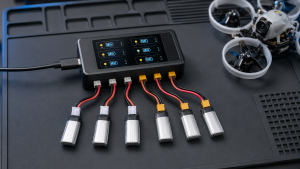
The DJI Mini 2 Two-Way Charging Hub holds up to three compatible batteries and charges them in sequence, not simultaneously. It makes the workflow easier because packs can remain organized in one device, but three empty batteries still require multiple charging cycles.
The hub can also act as a power bank for another device. That can help with a controller or phone, but energy used for another device is no longer available for flight.
Important: The hub does not turn three batteries into continuous airtime. Land, power down, change the pack, inspect the aircraft, and complete a fresh preflight check before launching again.
Which batteries are compatible with the DJI Mini 4K?
The official pack used by the aircraft is named the DJI Mini 2 Intelligent Flight Battery. DJI lists the Mini 2 Two-Way Charging Hub as compatible with DJI Mini 4K, Mini 2 SE, Mini 2, and Mini SE.
That shared family can help owners who already have compatible equipment. It does not make every battery with “Mini” in its name interchangeable. DJI Mini 3 and Mini 4 Pro battery families are different products. Match the exact battery name and check DJI's current compatibility listing before buying.
A physically compatible used pack can still have an unknown cycle, storage, heat, or impact history. Inspect it carefully and watch for errors or unusual percentage changes. For a flight-critical component, seller reputation, authenticity, firmware communication, and return support matter.
Third-party batteries may advertise compatibility, but they add uncertainty around cell quality, battery-management communication, firmware behavior, and support. A lower purchase price is not automatically better value when the battery powers and physically secures a flying aircraft.
How to make each battery charge more useful
No setting creates free flight time. The useful goal is to reduce wasted energy while keeping enough reserve for a controlled return and landing.
- Check wind before takeoff. Wind affects both consumption and the time required to return.
- Start with a healthy, appropriately charged battery. Confirm status in DJI Fly instead of relying only on a pre-trip assumption.
- Wait for the home point. Verify positioning and set an appropriate Return to Home altitude before traveling away.
- Plan the shot on the ground. Choose camera settings, route, subject, and movement before the motors are using energy.
- Fly smoothly. Avoid repeated full-stick acceleration and unnecessary climbs.
- Turn back early. Distance, headwind, terrain, temperature, and landing options can justify more reserve.
- Remove unnecessary accessories. Added weight and drag reduce performance margin and can change actual takeoff weight.
- Land with reserve. The objective is a completed shot and safe landing, not the lowest possible remaining percentage.
Battery efficiency cannot compensate for an unrealistic route. A shorter, repeatable flight is safer and often produces better footage than trying to cover every shot on one launch.
DJI Mini 4K battery storage, maintenance, and replacement
DJI recommends storing an Intelligent Flight Battery at 40{bcff8dceb49be981f56a11fa8b93deb523f022f44b99d636132660ed1caac9eb} to 65{bcff8dceb49be981f56a11fa8b93deb523f022f44b99d636132660ed1caac9eb} charge if it will not be used for more than 10 days. Its general maintenance guide calls for a cool, dry, well-ventilated location and identifies 22°C to 28°C as ideal. DJI also recommends a full charge and discharge maintenance cycle about every three months during extended storage.
Do not store a battery completely depleted. DJI notes that a depleted pack left for an extended period can over-discharge, become damaged, or enter hibernation. Recharge a hibernating pack to attempt activation, but do not continue using one that fails to recover normally or shows damage.
- Let a battery cool fully after flight before charging.
- Keep packs dry and away from direct heat or sunlight.
- Protect the contacts from metal objects and debris.
- Do not crush, puncture, drop, or modify the battery.
- Transport packs so they cannot move freely or short-circuit.
- Follow current carrier rules before taking lithium batteries on a flight.
A simple rotation system
Number two or three packs discreetly and use them in order. This reduces the chance that one battery receives most of the cycles while another remains unused. Compare flight time and percentage behavior under similar conditions, and record any warning linked to a particular pack.
After a trip, cool and inspect every battery. Charge packs for near-term use or adjust them for storage based on DJI's guidance. Do not automatically leave every battery at 100{bcff8dceb49be981f56a11fa8b93deb523f022f44b99d636132660ed1caac9eb} when the next flight is weeks away.
When to stop using a battery
There is no single calendar age or cycle count that predicts every pack's condition. Heat exposure, storage habits, impacts, charging, and use all matter. Stop using a battery and seek appropriate support if you notice:
- swelling, deformation, cracks, punctures, leakage, or corrosion;
- damaged, dirty, or burned contacts;
- unusual heat, odor, smoke, or discoloration;
- repeated cell, temperature, or communication warnings;
- rapid or unexplained percentage drops;
- a major loss of endurance under otherwise similar conditions;
- failure to charge, activate, or latch securely.
Do not fly an uncertain battery merely to see whether it improves. Visible damage, unstable voltage behavior, or repeated app errors deserve a conservative response.
Preflight and postflight battery checklist
Before leaving home
- Charge the number of batteries needed for the planned session.
- Confirm the controller and phone are also charged.
- Inspect each pack for damage, swelling, contamination, or abnormal contacts.
- Pack the correct USB-C cable, power adapter, and hub if used.
- Check wind, temperature, airspace, and local operating conditions.
Before takeoff
- Insert the battery until it is fully latched.
- Confirm the charge level and battery status in DJI Fly.
- Verify that the home point has updated correctly.
- Set an appropriate Return to Home altitude for the location.
- Choose a route, turnaround point, and landing reserve before flying far away.
After landing
- Power off the aircraft before removing the pack.
- Check for unusual heat, odor, damage, or app warnings.
- Let the battery cool naturally before charging.
- Note any unexpected percentage drop or endurance change.
- Prepare the pack for near-term use or longer storage as appropriate.
Final recommendation: how many batteries should you own?
One DJI Mini 4K battery is technically enough, but it is best for short, low-pressure flights with easy access to a charger. The 31-minute rating is not guaranteed filming time, and DJI's approximate 82-minute charge time with its 18 W charger is longer than the published maximum flight.
Two batteries are the best balance for most beginners and casual owners. They provide a second flight window, a backup pack, and enough flexibility to separate practice from deliberate capture without making battery management complicated.
Choose three batteries for travel, hiking, repeated practice, or planned photo and video sessions. The Fly More setup is especially useful when it includes the charging hub and the price compares well with buying the components separately.
Whichever count you choose, protect the return and landing reserve. A successful session ends with a controlled landing, not the lowest possible battery percentage.
Compare current DJI Mini 4K packages
Check whether the listing includes one or three batteries, the charging hub, a wall adapter, a microSD card, and a valid warranty for your region.
DJI Mini 4K battery FAQs
How many batteries come with the DJI Mini 4K?
DJI's standard package lists one DJI Mini 2 Intelligent Flight Battery. The Fly More Combo adds two more for three batteries total. Retailer bundles can differ, so confirm the exact listing.
How long does one DJI Mini 4K battery last?
DJI publishes a maximum of 31 minutes under controlled conditions. Normal usable time is shorter and changes with wind, temperature, route, hovering, climbing, flight style, battery condition, firmware, and the reserve kept for return and landing.
Is one battery enough for a beginner?
It is enough to learn the basic controls and complete short local flights. Two batteries are more practical for most beginners because one can cover setup and practice while the second remains available for deliberate photos or video.
How long does a DJI Mini 4K battery take to charge?
DJI lists approximately 1 hour 22 minutes for one battery with the optional DJI 18 W Charger, either in the aircraft or in the compatible hub. Actual time varies with the adapter, cable, temperature, and starting charge.
Does the DJI Mini 4K include a charger?
The official standard-package list includes a USB-C cable but does not list a wall power adapter. Retailer bundles may add one, so distinguish the cable from the adapter when checking the box contents.
Can I charge the battery inside the drone?
Yes. With the battery installed and the aircraft powered off, connect a compatible USB-C or USB Power Delivery charger to the aircraft's USB-C port.
Does the charging hub charge three batteries at once?
No. The DJI Mini 2 Two-Way Charging Hub holds up to three compatible batteries and charges them in sequence, not simultaneously.
Can I use a DJI Mini 2 battery in the DJI Mini 4K?
Yes. The official pack in DJI's Mini 4K package is named the DJI Mini 2 Intelligent Flight Battery. Verify authenticity, condition, and current DJI compatibility before using a replacement or used pack.
Should I charge the battery after every flight?
Charge it after it has cooled if another flight is planned soon. For more than 10 days of storage, DJI recommends 40{bcff8dceb49be981f56a11fa8b93deb523f022f44b99d636132660ed1caac9eb} to 65{bcff8dceb49be981f56a11fa8b93deb523f022f44b99d636132660ed1caac9eb} charge instead of leaving the battery full or depleted.
How many spare batteries should I buy?
One spare gives most casual owners a useful two-battery setup. Two spares, for three batteries total, are more practical for travel, hiking, repeated practice, or planned content capture.
Sources
- DJI Mini 4K and Mini 2 SE specifications: official flight-time test conditions and aircraft specifications.
- DJI Intelligent Flight Battery technical specifications: official capacity, voltage, energy, chemistry, weight, temperature, and charging-power values.
- DJI Aircraft Battery Charging Guide: charging methods and approximate time with the DJI 18 W Charger.
- DJI Battery Routine Maintenance Guide: cooling, longer-storage charge level, hibernation, and maintenance guidance.
- DJI Mini 2 Two-Way Charging Hub: official compatibility, sequential charging, and power-bank function.
- DJI Mini 4K product page: current standard and Fly More package contents and U.S. availability.
- DJI Mini 4K Download Center: current user manual and safety documents.
- TechRadar DJI Mini 4K review: independent hands-on flight-time context.
Last checked: July 13, 2026. Specifications, charging guidance, compatibility, package contents, availability, and battery recommendations can change.