FPV DRONES FOR BEGINNERS
FPV Drones for Beginners: Find the Right Complete Starter Setup
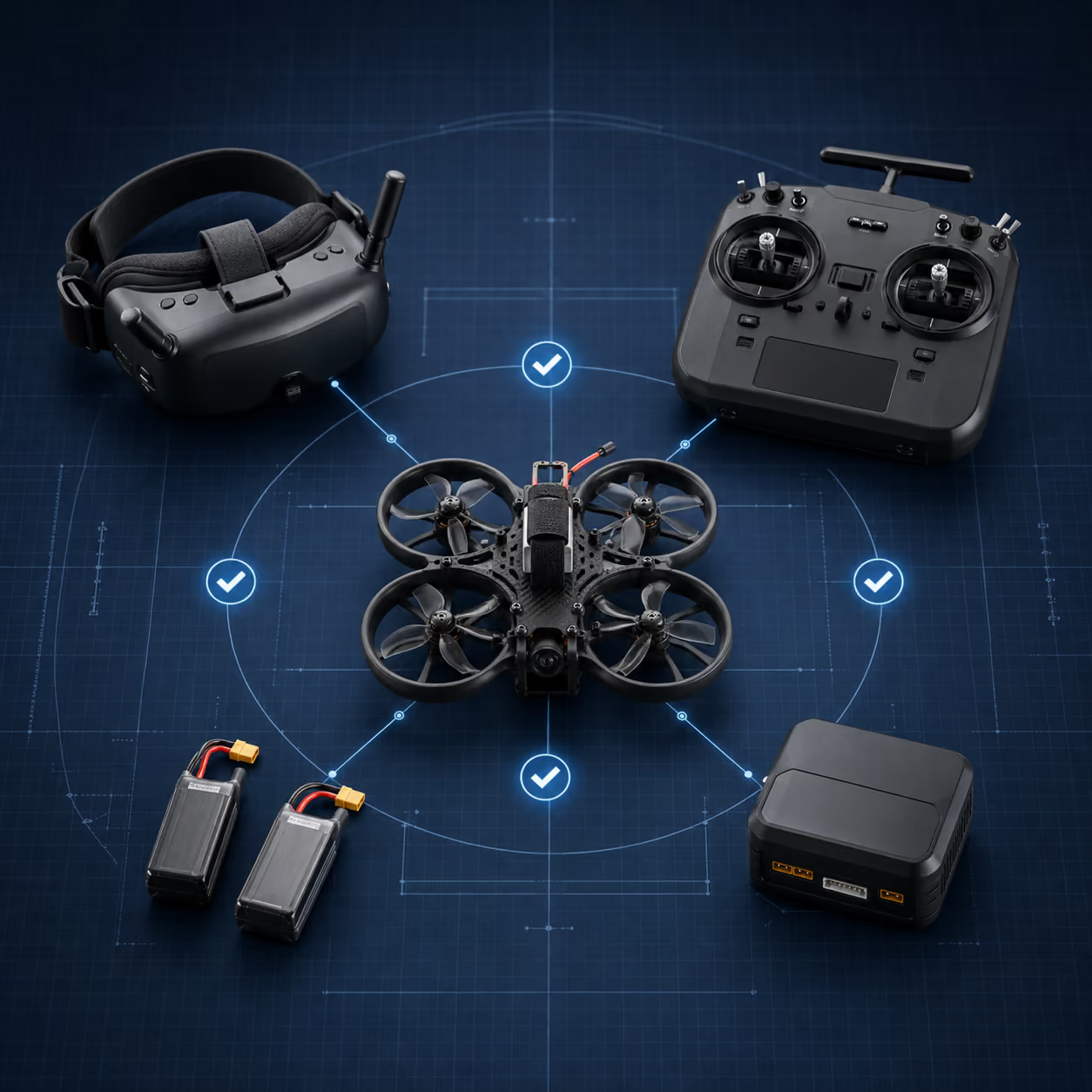
An FPV drone is only one part of the system. The radio must match the receiver, the goggles must match the video system, and the batteries, connectors and charger must all work together. Answer six questions to choose one of three maintained starter paths without assembling a mismatched cart.
Six questions. Three compatibility-checked packages. No signup required to see your result.
- Complete systems
- Compatibility checked
- Product references maintained
If terms such as ELRS, analog video and flight controller are new to you, begin with how an FPV drone system works. If you already understand the basics, use the quiz below.
START HERE
Find your FPV starter path
Choose the answers that best describe what you want to do now—not what you might want to do several years from now. Your result will identify a complete package and explain which parts are required, recommended or optional.
Question 1 of 6
Your result is a starting path, not a permanent limit. Each package explains what can carry forward and what would need to change if you move into another FPV ecosystem.
Your result
Manual FPV Starter: Analog Indoor Whoop
Email this package checklist to yourself before you start comparing listings. It includes the selected parts, supporting equipment and first-flight steps.
WHY THIS PACKAGE FITS
This is the best starting point if you want to learn traditional two-stick manual FPV indoors at the lowest practical cost. The system uses an ELRS radio, analog goggles and a small brushless whoop designed to tolerate normal beginner crashes.
Choose another path if polished HD video and assisted flight matter more than learning manual control at the lowest cost.
- Budget
- Lowest relative complete-system cost
- Environment
- Mostly indoors
- Video
- 5.8 GHz analog
- Experience
- Beginner to manual practice
Product listings, prices and availability can change. Confirm the exact variant and seller before ordering.
Package-level safety note
This is a bind-and-fly manual FPV aircraft, not a ready-to-fly stabilized camera drone.
Read the complete safety note
This is a bind-and-fly manual FPV aircraft, not a ready-to-fly stabilized camera drone. The buyer must bind ELRS, configure and verify controls, and learn manual flight. Simulator practice is strongly recommended.
Your complete system purchase checklist
This is one coordinated system, not a collection of unrelated recommendations. Start with every item under Core System, then add the required supporting and safety equipment before flying. Optional upgrades can wait.
- 5 core-system items
- 2 required supporting items
- 1 optional or recommended upgrade
Core System: Buy These First
-
Drone Required
BETAFPV Air65 Freestyle Brushless Whoop Quadcopter
Freestyle, ELRS 2.4GHz, G473 five-in-one flight controller, BT2.0
The aircraft at the center of this system.
Exact variant and compatibility details
Exact variant: Freestyle, ELRS 2.4GHz, G473 five-in-one flight controller, BT2.0
65mm, approximately 17.3g manual analog BNF whoop with the G473 five-in-one flight controller, onboard ELRS 2.4GHz receiver, C03 analog camera, adjustable 5.8GHz 25-400mW video transmitter, BT2.0 battery connector, 0702SE II 23000KV motors and HQ 31mm ultralight propellers. Use only the Freestyle version represented by ASIN B0DQPP4DR8. The selected 1S 300mAh BT2.0 batteries, ELRS RadioMaster Pocket, analog Cobra X V4 goggles and WhoopStor V3 are compatible. The aircraft does not include a radio, goggles, flight batteries or charger. Bind ELRS and verify Betaflight channel mapping, arming, flight modes and failsafe before flight.
Editorial note: This replaces the previous analog whoop because the exact BETAFPV Air65 Freestyle configuration has a current Amazon product record while preserving ELRS 2.4GHz, analog video and BT2.0 compatibility. Do not substitute the Air65 Racing version.
Last checked: 2026-07-21
Check Price on Amazon ASIN B0DQPP4DR8 -
Radio Required
RadioMaster Pocket Radio Controller (M2)
Charcoal, ELRS, FCC, Mode 2
The controller used to operate this aircraft.
Exact variant and compatibility details
Exact variant: Charcoal, ELRS, FCC, Mode 2
Internal ELRS 2.4GHz matches the Air65 receiver. Select Charcoal, ELRS, FCC and Mode 2. Do not select CC2500 or LBT for the U.S. package. The required two 18650 cells are not included with the radio.
Last checked: 2026-07-21
Check Price on Amazon ASIN B0DXPLH726 -
Goggles Required
Skyzone Cobra X V4 Analog FPV Goggles
Black, SteadyView diversity and H.264 DVR
Receives the aircraft's video feed.
Exact variant and compatibility details
Exact variant: Black, SteadyView diversity and H.264 DVR
The 5.8GHz analog receiver matches the Air65 video transmitter. Switch the display to 4:3 to match the C03 camera. The goggles include SteadyView diversity, antennas and a USB-C cable but require one 18650 cell. Format and test the microSD card in the goggles before relying on DVR recording. Update firmware only when required by Skyzone release notes or support guidance.
Editorial note: The retailer's headline and published DVR specification conflict. Treat 30fps as the verified recording specification and do not advertise 60fps recording unless Skyzone supplies model-specific confirmation.
Last checked: 2026-07-21
-
Flight batteries Required
Tattu 3.8V 1S 300mAh 75C LiHV Battery 5-Pack
BT2.0 connector
Powers the aircraft and matches its required voltage and connector.
Exact variant and compatibility details
Exact variant: BT2.0 connector
The 1S 300mAh capacity and BT2.0 connector match the selected Air65. Select BT2.0, not PH2.0. Use a 4.35V LiHV charge target only when the battery label specifies LiHV.
Last checked: 2026-07-21
Check Price on Amazon ASIN B097BV6K5L -
Charger Required
VIFLY WhoopStor V3
Six-port 1S LiPo/LiHV storage charger with BT2.0 and PH2.0 ports
Charges and stores the selected flight batteries correctly.
Exact variant and compatibility details
Exact variant: Six-port 1S LiPo/LiHV storage charger with BT2.0 and PH2.0 ports
Provides six independent channels with charge, discharge and storage-voltage functions. Its BT2.0 ports directly support the selected Tattu batteries. Configure the correct LiPo or LiHV termination voltage and never charge batteries unattended.
Last checked: 2026-07-21
Check Price on Amazon ASIN B0C5CRFFBL
Required Before You Fly
-
Radio and goggle batteries Required
RadioMaster 18650 3200mAh 3.7V Battery 2-Pack
Quantity 2 packs, four cells total
Powers the selected controller and goggles.
Exact variant and compatibility details
Exact variant: Quantity 2 packs, four cells total
Four cells provide two batteries for the Pocket radio, one for the Cobra X V4 goggles and one spare. Select the RadioMaster 3200mAh version. Pyrodrone lists these cells as compatible with the Pocket; battery orders must use ground shipping within the United States.
Last checked: 2026-07-21
-
Charger power supply Required
Anker Nano 45W USB-C PD Charger
45W compact charger with included six-foot USB-C cable
Supplies the charger with the required input power.
Exact variant and compatibility details
Exact variant: 45W compact charger with included six-foot USB-C cable
Supplies sufficient USB-C PD input for the WhoopStor V3. It can also charge the radio and goggles sequentially using the appropriate included device cables.
Last checked: 2026-07-21
Check Price on Amazon ASIN B0DPKRC84P
Optional Upgrades: These Can Wait
-
DVR storage Recommended
SanDisk MAX Endurance 64GB microSDXC
SDSQQVR-064G-GN6IA, Class 10, U3 and V30
Provides recording storage for the selected video system.
Exact variant and compatibility details
Exact variant: SDSQQVR-064G-GN6IA, Class 10, U3 and V30
Intended for repeated video recording and suitable for the Cobra X V4 DVR. Format the card in the goggles before recording. A card is not required to fly.
Last checked: 2026-07-21
Check Price on Amazon ASIN B084CJ96GT
Final compatibility check before ordering
- The BETAFPV Air65 Freestyle receiver and RadioMaster Pocket must both use ELRS 2.4GHz.
- Select RadioMaster Pocket Charcoal, ELRS, FCC and Mode 2 for the U.S. package.
- The BETAFPV Air65 Freestyle requires 1S 300mAh BT2.0 batteries; do not substitute PH2.0 batteries.
- Use the Cobra X V4 in 4:3 mode to match the C03 camera.
- Configure the WhoopStor for the correct LiPo or LiHV termination voltage before charging.
After everything arrives
- Install a simulator and practice angle changes, throttle control, and recovery before the first real flight.
- Bind ELRS and verify Betaflight channel mapping, arming, flight modes and failsafe before flight.
- Charge the radio, goggles and 1S packs, then fly short indoor sessions with spare props ready.
Your result
Easiest HD FPV: DJI Avata 2 Fly More Combo
Email this package checklist to yourself before you start comparing listings. It includes the selected parts, supporting equipment and first-flight steps.
WHY THIS PACKAGE FITS
This is the best starting point if you want an integrated HD system with assisted flight modes and fewer setup decisions. The Avata 2 package gets you flying quickly while leaving a path to Manual mode with the optional FPV Remote Controller 3.
Choose another path if your main goal is a repairable traditional FPV system with an independent radio ecosystem.
- Budget
- Midrange complete-system cost
- Environment
- Indoors and outside with careful location choice
- Video
- DJI HD digital
- Experience
- Completely new to beginner
Product listings, prices and availability can change. Confirm the exact variant and seller before ordering.
Package-level safety note
Follow DJI activation, firmware, charging and safety instructions.
Read the complete safety note
Follow DJI activation, firmware, charging and safety instructions. Conventional full Manual mode requires the optional DJI FPV Remote Controller 3 and appropriate training.
Your complete system purchase checklist
This is one coordinated system, not a collection of unrelated recommendations. Start with every item under Core System, then add the required supporting and safety equipment before flying. Optional upgrades can wait.
- 1 core-system item
- 1 required supporting item
- 2 optional or recommended upgrades
Core System: Buy These First
-
Complete system Required
DJI Avata 2 Fly More Combo
Three-battery version with DJI Goggles 3 and RC Motion 3
The matched aircraft, controller and goggles used for this path.
Exact variant and compatibility details
Exact variant: Three-battery version with DJI Goggles 3 and RC Motion 3
The exact bundle must be the new DJI Avata 2 Fly More Combo, manufacturer part CP.FP.00000151.02, with DJI Goggles 3, RC Motion 3, three Intelligent Flight Batteries, the two-way charging hub, spare propellers, sling bag and required accessories. Do not substitute the single-battery version, a Goggles N3 package, a renewed unit or a used unit. The Amazon offer may be used only after confirming the exact seller, fulfillment, new condition and three-battery contents. DJI's U.S. documentation states that Avata 2 is equipped with a Remote ID system meeting 14 CFR Part 89. Require current firmware and confirm that the Remote ID preflight self-test reports normal before applicable U.S. operation. At approximately 377 grams, normal U.S. outdoor operation still requires FAA registration and compliance with applicable airspace and operating rules.
Included with this package:
- DJI Avata 2
- DJI Goggles 3
- DJI RC Motion 3
- Three Avata 2 Intelligent Flight Batteries
- DJI Avata 2 two-way charging hub
- Two pairs of genuine DJI Avata 2 propellers
- DJI Avata 2 sling bag
- Required cables, tools and accessories included by DJI
Last checked: 2026-07-21
Check Price on Amazon ASIN B0CS6HVW6P
Required Before You Fly
-
Charging power supply Required
Anker 715 Charger (Nano II 65W)
Model A2663, 65W USB-C PD wall charger
Supplies the charger with the required input power.
Exact variant and compatibility details
Exact variant: Model A2663, 65W USB-C PD wall charger
DJI recommends a 65W USB-PD power source for the Avata 2 charging system. The Fly More Combo supplies a compatible USB-C cable but does not include the wall charger. Use the DJI-supplied cable with this power supply.
Last checked: 2026-07-21
Check Price on Amazon ASIN B08T5QN2TR
Optional Upgrades: These Can Wait
-
Manual controller Recommended
DJI FPV Remote Controller 3
Conventional stick controller for Avata 2 Manual mode
Adds conventional stick control for Manual mode.
Exact variant and compatibility details
Exact variant: Conventional stick controller for Avata 2 Manual mode
This controller is required for progression to conventional full Manual-mode stick control. It is not required to fly using the RC Motion 3 included with the combo. The controller contains its own rechargeable battery.
Last checked: 2026-07-21
Check Price on Amazon ASIN B0CS6JCX2W -
Storage Recommended
Kingston Canvas Go! Plus 128GB microSDXC
SDCG3/128GB, quantity 2
Provides recording storage for the selected video system.
Exact variant and compatibility details
Exact variant: SDCG3/128GB, quantity 2
DJI lists the exact Kingston Canvas Go! Plus 128GB card for Avata 2 and Goggles 3. Quantity two permits separate recording in the aircraft and goggles. Format each card in the device where it will be used. The Avata 2 has internal storage, so microSD cards are recommended rather than required to fly.
Last checked: 2026-07-21
Check Price on Amazon ASIN B0858MY6RT
Final compatibility check before ordering
- Bundle must explicitly include Avata 2, Goggles 3, RC Motion 3, three aircraft batteries, charging hub, and required accessories.
- Manual-mode guidance must distinguish RC Motion 3 from DJI FPV Remote Controller 3.
- Confirm current DJI firmware and supported microSD card compatibility before launch.
After everything arrives
- Activate and update the DJI ecosystem before the first flight.
- Start in the assisted modes and learn return-to-home, battery warnings, and emergency controls.
- Add the FPV Remote Controller 3 only when you are ready to practice manual mode responsibly.
Your result
Manual HD Freestyle: 5-Inch DJI O4 Pro + ELRS System
Email this package checklist to yourself before you start comparing listings. It includes the selected parts, supporting equipment and first-flight steps.
WHY THIS PACKAGE FITS
This is the right path if you already have simulator or manual-flight experience and want a repairable five-inch outdoor freestyle system. It combines DJI O4 video with a separate ELRS control link and requires deliberate LiPo charging, setup and maintenance.
Choose another path if you are completely new, want stabilized footage or do not want LiPo charging and repair responsibilities.
- Budget
- Highest relative complete-system cost
- Environment
- Mostly outdoors
- Video
- DJI O4 HD digital with ELRS control
- Experience
- Simulator practice or prior manual FPV
Product listings, prices and availability can change. Confirm the exact variant and seller before ordering.
Package-level safety note
This five-inch quad is a high-powered manual aircraft and is not appropriate as a first unsupervised FPV aircraft.
Read the complete safety note
This five-inch quad is a high-powered manual aircraft and is not appropriate as a first unsupervised FPV aircraft. Use simulator practice, verify Betaflight receiver mapping, arming and failsafe, conduct initial tests without propellers, and fly only in an appropriate open area. GPS does not provide obstacle avoidance or make the aircraft autonomous. Follow all applicable registration, Remote ID, visual-line-of-sight and operating requirements.
Your complete system purchase checklist
This is one coordinated system, not a collection of unrelated recommendations. Start with every item under Core System, then add the required supporting and safety equipment before flying. Optional upgrades can wait.
- 5 core-system items
- 4 required supporting items
- 6 safety, maintenance or legal items
- 1 optional or recommended upgrade
Core System: Buy These First
-
Drone Required
iFlight Nazgul Evoque F5 V3 O4 6S HD
Standard version with GPS pre-installed and iFlight ELRS 2.4GHz receiver
The aircraft at the center of this system.
Exact variant and compatibility details
Exact variant: Standard version with GPS pre-installed and iFlight ELRS 2.4GHz receiver
Select Standard Ver. (GPS Pre-installed) and iFlight ELRS 2.4GHz RX. The aircraft includes the DJI O4 Air Unit Pro, Borg Mini F7 flight controller, Borg Mini 60A ESC and XING2 2207 1750KV motors. Its ELRS receiver matches the selected Boxer Max radio, while DJI O4 supplies video to Goggles 3. Do not select No Receiver, Crossfire or the DJI-controller configuration for this package. Before first flight, confirm that the Boxer and aircraft receiver use compatible ExpressLRS major firmware versions. Bind them and verify channel mapping, switch assignments, arming, flight modes, telemetry/link quality and failsafe with the propellers removed.
Included with this package:
- DJI O4 Air Unit Pro
- Borg Mini F7 flight controller
- Borg Mini 60A ESC
- XING2 2207 1750KV motors
- GPS pre-installed on the selected Standard version
- iFlight ELRS 2.4GHz receiver
Last checked: 2026-07-21
-
Radio Required
RadioMaster Boxer Max Radio Controller (M2)
Black, ELRS, FCC and Mode 2
The controller used to operate this aircraft.
Exact variant and compatibility details
Exact variant: Black, ELRS, FCC and Mode 2
Internal 2.4GHz ELRS matches the iFlight ELRS receiver. Select Black, ELRS, FCC and Mode 2. The Boxer Max includes AG01 CNC Hall gimbals, EdgeTX, case, strap and gimbal protector. The transmitter battery is not included.
Last checked: 2026-07-21
-
Goggles Required
DJI Goggles 3
DJI digital goggles compatible with O4 Air Unit Pro
Receives the aircraft's video feed.
Exact variant and compatibility details
Exact variant: DJI digital goggles compatible with O4 Air Unit Pro
DJI Goggles 3 are compatible with the DJI O4 Air Unit Pro installed in the aircraft. Video uses the DJI O4 link, while aircraft control remains on the separate ELRS link.
Last checked: 2026-07-21
Check Price on Amazon ASIN B0CS6L6D6J -
Flight batteries Required
iFlight Fullsend 6S 1550mAh 150C LiPo Battery
XT60H-F connector, quantity 2
Powers the aircraft and matches its required voltage and connector.
Exact variant and compatibility details
Exact variant: XT60H-F connector, quantity 2
This is the current 6S battery offered by iFlight for the Nazgul configuration. The XT60H-F connector mates with the aircraft XT60 connection. Quantity two provides a usable initial flight set without introducing a questionable Amazon battery listing.
Last checked: 2026-07-21
-
Charger Required
HOTA D6 Pro
AC/DC dual-channel 1S-6S balance charger
Charges and stores the selected flight batteries correctly.
Exact variant and compatibility details
Exact variant: AC/DC dual-channel 1S-6S balance charger
Supports 1S through 6S lithium balance charging, storage mode, dual-channel operation, XT60 connections and ordinary AC operation. The charger includes an AC power cord, so no separate DC power supply is required for normal household AC use. The selected XT60 main-power extensions and 6S balance extensions complete the charging connection while the batteries remain inside the BAT-SAFE. Retain the Amazon affiliate offer only while it resolves to the exact HOTA D6 Pro; otherwise use the verified RaceDayQuads listing.
Last checked: 2026-07-21
Check Price on Amazon ASIN B0D4MC4GPC
Required Before You Fly
-
Radio battery Required
RadioMaster 2S 7.4V 6200mAh LiPo Battery
Boxer-compatible transmitter battery
Powers the selected controller.
Exact variant and compatibility details
Exact variant: Boxer-compatible transmitter battery
Designed to fit the RadioMaster Boxer battery compartment and required because the Boxer Max does not include a battery. Order it with the radio because RadioMaster restricts shipment of standalone batteries.
Last checked: 2026-07-21
-
Balance extensions Required
BAT-SAFE JST-XH Long Balance Wire Set
2S through 6S, 12-inch extensions; quantity 2 sets
Lets the balance connector reach the charger while the battery remains inside the safety enclosure.
Exact variant and compatibility details
Exact variant: 2S through 6S, 12-inch extensions; quantity 2 sets
Each set contains only one 6S JST-XH extension. Quantity two sets are required to balance-charge two selected 6S batteries simultaneously using both HOTA channels while keeping both batteries inside the BAT-SAFE. Use one 6S lead from each set.
Last checked: 2026-07-21
-
Main-power extensions Required
RDQ XT60 Male-to-Female Extension Cable
Four-inch, 14AWG, quantity 2
Lets the main battery lead reach the charger while the battery remains inside the safety enclosure.
Exact variant and compatibility details
Exact variant: Four-inch, 14AWG, quantity 2
Extends the main XT60 charging connection through the BAT-SAFE charging opening so each battery can remain inside the enclosure while the HOTA charger stays outside. Quantity two supports both charger channels.
Last checked: 2026-07-21
-
USB-C power supply Required
Anker Nano 45W USB-C PD Charger
45W compact charger with included six-foot USB-C cable
Supplies the charger with the required input power.
Exact variant and compatibility details
Exact variant: 45W compact charger with included six-foot USB-C cable
Provides a shared USB-C power source for the Boxer Max, Goggles 3 and Remote ID module. These devices can be charged sequentially using their supplied or compatible cables.
Last checked: 2026-07-21
Check Price on Amazon ASIN B0DPKRC84P
Safety, Maintenance and Legal Requirements
-
Battery safety enclosure Required
BAT-SAFE
Regular-size insulated steel charging and storage enclosure
Provides a safer place to charge and store LiPo batteries.
Exact variant and compatibility details
Exact variant: Regular-size insulated steel charging and storage enclosure
The regular BAT-SAFE has sufficient internal space and watt-hour capacity for the selected pair of 6S 1550mAh batteries. Its double-wall insulated steel enclosure and flame arrestor reduce exposure, but it does not make LiPo charging risk-free. Use the required balance and main-power extension cables and never charge unattended.
Last checked: 2026-07-21
Check Price on Amazon ASIN B07DXJBRBB -
Smoke stopper Recommended
VIFLY ShortSaver 2
XT60 electronic smoke stopper with selectable current limit
Limits current during first power-up and electrical troubleshooting.
Exact variant and compatibility details
Exact variant: XT60 electronic smoke stopper with selectable current limit
Use during the first bench power-up and after electrical repairs to limit current if a short circuit or excessive current draw is present. It supports XT60, XT30 and 2S through 6S input. It is recommended diagnostic protection, not a replacement for visual inspection, continuity testing, correct wiring or proper battery safety. Retain the Amazon affiliate offer only while it resolves to the exact VIFLY ShortSaver 2; otherwise use the verified RaceDayQuads listing.
Last checked: 2026-07-21
Check Price on Amazon ASIN B088TVVNVM -
Spare propellers Recommended
iFlight Nazgul 5140 Tri-Blade Propellers
Three sets/six pairs, 5.1x3.5x3, 5mm hub
Provides replacement propellers matched to the selected aircraft.
Exact variant and compatibility details
Exact variant: Three sets/six pairs, 5.1x3.5x3, 5mm hub
Contains six clockwise and six counter-clockwise Nazgul 5140 tri-blade propellers, providing three complete spare quad sets. The 5.1x3.5x3 specification and 5mm hub match the selected Nazgul configuration. Verify propeller orientation before installation.
Last checked: 2026-07-21
-
Hex drivers Required
MIP Hex Driver Wrench Set Gen 2
MIP9602; 1.5mm, 2.0mm and 2.5mm metric drivers
Provides the tools required for normal assembly and maintenance.
Exact variant and compatibility details
Exact variant: MIP9602; 1.5mm, 2.0mm and 2.5mm metric drivers
Precision-ground dedicated drivers covering the common 1.5mm, 2.0mm and 2.5mm fasteners used on the aircraft. MIP manufactures these from tool-steel drill blanks with close tolerances, reducing the likelihood of damaged or stripped fasteners. Use these instead of low-quality multipurpose drivers for routine frame and electronics maintenance.
Editorial note: This replaces the FlyFishRC 9-piece tool kit.
Last checked: 2026-07-21
Check Price on Amazon ASIN B0CWPSBY7Q -
Prop tool Required
TBS Ethix Multi-Purpose Prop Tool
Dual 8mm ratcheting prop sockets with 2.0mm and 2.5mm hex drivers
Provides the wrench sizes required for propeller installation and removal.
Exact variant and compatibility details
Exact variant: Dual 8mm ratcheting prop sockets with 2.0mm and 2.5mm hex drivers
The dual 8mm sockets fit the standard M5 propeller nuts used on the five-inch aircraft. Together with the MIP driver set, this covers propeller installation and the common frame and electronics fasteners. Verify propeller orientation before installation and avoid overtightening the propeller nuts.
Editorial note: Added because the MIP driver set does not include an 8mm propeller wrench.
Last checked: 2026-07-21
-
Remote ID Required where Remote ID applies
Dronetag Beacon Gen 2
Self-contained FAA-accepted broadcast Remote ID module
Adds broadcast Remote ID where required.
Exact variant and compatibility details
Exact variant: Self-contained FAA-accepted broadcast Remote ID module
The Nazgul exceeds 250 grams and ordinarily requires FAA registration and Remote ID for U.S. outdoor operations outside an applicable exception such as a FRIA. Add the Beacon Gen 2 serial number to the aircraft's FAA DroneZone registration inventory and confirm that it is configured, mounted securely and broadcasting properly before applicable operations. Under FAA rules, an aircraft using a Remote ID broadcast module must remain within visual line of sight. The module is not required for lawful operation entirely within a FRIA when every FRIA condition is satisfied.
Last checked: 2026-07-21
Optional Upgrades: These Can Wait
-
Storage Recommended
Kingston Canvas Go! Plus 128GB microSDXC
SDCG3/128GB, quantity 2
Provides recording storage for the selected video system.
Exact variant and compatibility details
Exact variant: SDCG3/128GB, quantity 2
DJI lists the exact Kingston Canvas Go! Plus 128GB card for Goggles 3 and the O4 system. Quantity two allows separate recording in the O4 Air Unit Pro and goggles. Format each card in the device where it will be used.
Last checked: 2026-07-21
Check Price on Amazon ASIN B0858MY6RT
Final compatibility check before ordering
- Select the Standard Ver. with GPS pre-installed and iFlight ELRS 2.4GHz receiver.
- Do not select No Receiver, Crossfire or the DJI-controller configuration for this package.
- DJI Goggles 3 must be paired to the DJI O4 Air Unit Pro for video.
- RadioMaster Boxer Max internal ELRS 2.4GHz must bind to the iFlight ELRS receiver.
- Use 6S XT60 flight batteries, 6S balance charging, storage mode, and the BAT-SAFE extension cables.
After everything arrives
- Spend meaningful time in a simulator before the first real 5-inch flight.
- Bench-check ELRS binding, Betaflight receiver mapping, channel mapping, props-off arming and failsafe behavior.
- Charge, store and transport 6S LiPo batteries with deliberate safety habits and applicable Remote ID planning.
THREE STARTING POINTS
Compare the three FPV starter paths
There is no single best beginner FPV setup. The right choice depends on whether you want to learn traditional manual flight, get an easier HD experience, or move directly into a powerful repairable freestyle system.
| Starter path | Best for | Typical environment | Control and video | Learning curve | Main tradeoff |
|---|---|---|---|---|---|
| Manual FPV Starter: Analog Indoor Whoop | A beginner who wants to learn real manual FPV at the lowest practical entry cost | Indoors and small protected spaces | ELRS radio control with 5.8 GHz analog video | Challenging at first, but forgiving equipment and low mass make practice practical | Analog video is functional rather than cinematic |
| Easiest HD FPV: DJI Avata 2 Fly More Combo | Someone who wants an integrated HD experience with assisted flight before considering Manual mode | Suitable indoor locations and legal outdoor flying areas | DJI control and DJI digital video | Easiest of the three paths to begin flying | Higher cost and a more proprietary ecosystem |
| Manual HD Freestyle: 5-Inch DJI O4 Pro + ELRS System | A pilot with simulator or manual-flight experience who wants full outdoor freestyle performance | Large, legal outdoor flying areas away from people and property | ELRS radio control with DJI O4 digital video | Highest setup, training and maintenance burden | Greater speed, energy, cost and repair responsibility |
Short answer: Choose the analog whoop to learn traditional manual FPV with lower-cost equipment. Choose Avata 2 for the simplest polished HD experience. Choose the five-inch O4 and ELRS system only when you are ready for manual flight, configuration, LiPo procedures and repairs.
PATH 1 · LOWEST-COST MANUAL FPV
Manual FPV Starter: Analog Indoor Whoop
This path is for the person who wants to learn the controls used by traditional FPV freestyle and racing pilots without beginning with a fast five-inch aircraft. The selected BETAFPV Air65 Freestyle is a very light brushless whoop with protected propellers, an ELRS receiver and an analog camera system. It is small enough to practice in suitable indoor space but still responds like a real Betaflight FPV quad.
The package deliberately separates the aircraft, radio and goggles instead of using a disposable toy-grade bundle. The RadioMaster Pocket ELRS radio can control other compatible ELRS aircraft later. The analog goggles can receive other compatible 5.8 GHz analog video transmitters. The selected batteries and WhoopStor 1S charger remain useful for compatible 1S whoops.
What this path teaches:
- Conventional two-stick FPV control
- Arming, flight modes and basic Betaflight behavior
- ELRS binding and radio setup
- Analog video channels and goggle use
- 1S battery charging, storage and inspection
- How to recover from frequent low-energy practice crashes
What does not carry forward automatically:
- Analog goggles do not display DJI O4 video.
- A 1S charger cannot charge the 6S batteries used by a five-inch freestyle quad.
- Batteries must continue to match the aircraft's voltage, capacity, connector and physical space.
Before changing batteries or chargers, use the FPV battery voltage, connector and charging guide. For a closer comparison of storage-capable whoop chargers, see the best 1S LiPo chargers for tiny whoops.
PATH 2 · EASIEST INTEGRATED HD FPV
Easiest HD FPV: DJI Avata 2 Fly More Combo
This path is for someone who values an integrated aircraft, goggles, controller, batteries and charging hub more than maximum repairability or the lowest cost. The selected three-battery DJI Avata 2 Fly More Combo begins with the RC Motion 3 and assisted flight modes, reducing the number of separate compatibility decisions required before the first flight.
Avata 2 is not the same experience as learning an Air65 or a five-inch Betaflight quad in Manual mode. Its assisted modes and motion controller make entry easier. A DJI FPV Remote Controller 3 can be added later for conventional stick control and Manual-mode progression, but simulator practice should come before removing the assisted safeguards.
What this path does well:
- Provides a coordinated DJI aircraft, video and control ecosystem
- Produces stabilized HD footage without mounting a separate action camera
- Includes three aircraft batteries and a charging hub in the selected bundle
- Allows a gradual move from assisted control toward Manual mode
- Reduces the configuration and repair burden for the first-time owner
What to understand before choosing it:
- DJI compatibility is model-specific; a product carrying the DJI name is not automatically compatible.
- The RC Motion 3 is not a conventional two-stick Manual-mode controller.
- The Fly More Combo still requires a suitable USB-C PD wall charger.
- The aircraft is heavier than 250 grams and normal U.S. outdoor operation requires registration and applicable Remote ID compliance.
- Proprietary batteries and components generally cost more than basic analog whoop equipment.
Read the DJI Avata 2 review for its ownership tradeoffs, camera behavior and limitations. The maintained DJI Avata 2 product page provides the current internal product reference. If footage is the main reason you are buying FPV, the FPV videography guide explains how aircraft choice affects the type of shot you can produce.
PATH 3 · FULL MANUAL HD FREESTYLE
Manual HD Freestyle: 5-Inch DJI O4 Pro + ELRS System
This is the advanced starter path, not the default recommendation for someone who has never practiced manual flight. The selected iFlight Nazgul Evoque F5 V3 uses DJI O4 for the video link and ELRS for the control link. Those are two separate systems: DJI Goggles 3 receive the aircraft's video, while the RadioMaster Boxer Max communicates with the installed ELRS receiver.
A five-inch 6S quad is substantially faster and carries much more energy than an indoor whoop. It also introduces balance charging, high-energy LiPo handling, firmware and receiver configuration, propeller installation, inspections and field repairs. Choose it only if those responsibilities are part of the experience you want.
This path is appropriate when you:
- Have meaningful simulator or manual FPV experience
- Have access to a large legal outdoor flying area
- Want the performance and repairability of a conventional five-inch quad
- Are prepared to inspect, configure and maintain the aircraft
- Understand that video and control use different compatibility paths
The RadioMaster Boxer ELRS radio can carry forward to other compatible ELRS aircraft. The DJI Goggles 3 can carry forward only to DJI video products that DJI explicitly lists as compatible. The selected HOTA D6 Pro charger supports the 6S balance-charging workflow, but it must be configured correctly for the battery and used with appropriate fire-risk controls.
If assembling and repairing the aircraft is part of your goal, read what FPV drone build kits include—and what they leave out. Do not use a five-inch aircraft as the first place to discover whether you understand arming, failsafe behavior or manual throttle control.
SAVE THIS CHECKLIST
FPV compatibility map: what must match before you buy
FPV components should be checked as connected decisions, not as independent products. A highly rated component can still be wrong for the rest of the system.
| Decision | What must match | Examples from the maintained packages | What happens when it is wrong |
|---|---|---|---|
| Radio control | The radio module and aircraft receiver must use the same protocol, frequency family and compatible configuration | ELRS 2.4 GHz Pocket with the Air65; ELRS 2.4 GHz Boxer with the Nazgul | The radio will not bind, or control may be unreliable or incorrectly configured |
| Video system | The goggles must explicitly support the aircraft's video transmitter | Analog Cobra X V4 with the Air65 analog VTX; DJI Goggles 3 with Avata 2 or the selected O4 Air Unit Pro | No usable video image, even if the radio controls the aircraft |
| Battery voltage | Cell count and charged voltage must remain within the aircraft's supported range | 1S LiHV for the Air65; DJI Intelligent Flight Battery for Avata 2; 6S LiPo for the Nazgul | Damage, poor performance or a serious battery and electronics hazard |
| Battery connector and fit | Connector type, polarity, dimensions, lead position and weight must suit the aircraft | BT2.0 1S packs for the Air65; XT60-class connection for the five-inch system | The pack may not connect, may not fit, or may shift the aircraft's balance and handling |
| Charger and charge mode | The charger must support the chemistry, cell count, balance connection and correct termination voltage | WhoopStor for 1S LiPo/LiHV; HOTA D6 Pro for 6S balance charging | An incorrect mode or voltage can damage the battery and create a fire risk |
| Firmware and binding | Transmitter, receiver, goggles and air unit must use supported versions and settings | Compatible ELRS major versions; DJI-listed device and firmware combinations | Binding failures, missing functions or unsafe channel and failsafe behavior |
| Supporting equipment | Power supplies, radio batteries, storage media, cables, safety equipment and tools must be included when the core product omits them | Pocket 18650 cells; Avata 2 USB-C PD charger; Boxer battery; five-inch charging enclosure and leads | The package arrives but cannot be charged, configured, recorded or maintained as intended |
The practical buying sequence is aircraft and mission first, control and video systems second, batteries third, and charging and supporting equipment last. Never choose the battery or charger from connector shape alone.
BEFORE CHECKOUT
What a complete FPV starter setup includes
Use this checklist even when a product is advertised as ready to fly. “RTF,” “BNF” and “Fly More” describe different levels of completeness, and sellers do not always use those terms consistently.
Required before the first flight
- An aircraft configured for the intended radio and video systems
- A compatible radio or the controller supplied with the complete system
- Compatible goggles and required antennas or cables
- Enough correctly specified aircraft batteries for the planned session
- A charger that supports the exact battery chemistry and cell count
- Any wall power supply omitted from the charger or bundle
- Required radio or goggle batteries
- Correct binding, firmware, channel mapping, arming and failsafe setup
- A legal flying location and any required registration, Remote ID and airspace authorization
Recommended once the system is working
- Spare propellers matched to the aircraft
- Storage-capable charging for removable LiPo batteries
- Appropriate battery containment and transport practices
- A microSD card when the aircraft or goggles support recording
- Aircraft-specific tools and commonly damaged replacement parts
- A simulator for conventional Manual or Acro-mode progression
Do not buy upgrades to solve a limitation you have not experienced. First make the selected package work correctly, learn what it does well, and then upgrade the part that is actually holding you back.
FROM BOX TO FIRST FLIGHT
A safer first-flight progression
- Learn the control method. Manual FPV pilots should develop basic throttle, hover, turning and recovery skills in a simulator before flying a five-inch aircraft. Motion-controlled Avata pilots should still learn every stop, brake, Return-to-Home and emergency function before takeoff.
- Confirm the package contents. Check the exact model, receiver, video system, battery connector, charger, cables and power supply against the maintained result.
- Inspect before applying power. Look for damaged battery wrapping, loose hardware, reversed connectors, obstructed propellers and unsecured antennas. Remove propellers before bench-testing a configurable manual quad.
- Charge for the correct chemistry. Select the correct cell count and LiPo or LiHV termination voltage. Use the balance lead when required, charge in an appropriate location and never leave charging batteries unattended.
- Bind and verify. Confirm radio channel mapping, arming, flight modes, telemetry and failsafe. Confirm a stable video image and correct goggle recording settings before relying on them.
- Choose a controlled first-flight area. Keep people, animals, vehicles and fragile property out of the operating area. A five-inch aircraft needs far more room than a whoop.
- Fly a simple first pack. Test takeoff, hover or stable forward flight, turns, controlled landing and signal behavior. Save aggressive modes and maneuvers until the basic system has been proven.
- Inspect after landing. Check motor temperature, propeller damage, loose hardware, battery condition and recorded warnings before the next pack.
U.S. OPERATING NOTE
FPV goggles do not remove visual-line-of-sight requirements
For recreational flying in the United States, the FAA requires the pilot to keep the drone within visual line of sight or use a visual observer who is physically next to the pilot and in direct communication. Recreational flyers must take TRUST and carry proof of completion. Controlled airspace requires authorization, and Class G recreational flights are generally limited to 400 feet above ground level.
Drones weighing 250 grams or more must normally be registered. Drones that are required to be registered or are registered must generally comply with Remote ID unless an applicable exception is satisfied. Aircraft, location and purpose all affect the exact requirement, so check current FAA guidance before flying.
This is a practical summary for U.S. readers, not a complete statement of every operating rule. Other countries and local jurisdictions have different requirements.
NEED MORE OPTIONS?
Use the right comparison for the decision you are making
The three packages on this page are intentionally narrow so their compatibility can be maintained. If none fits, continue with the guide that matches your unanswered question.
Compare complete beginner kits
Use the beginner FPV drone kit comparison when you want more single-box or ready-to-fly choices.
Compare FPV drones by use case
Use the best FPV drone guide when the aircraft or filming mission matters more than selecting a first complete system.
Understand FPV goggles first
Use the FPV goggles and compatibility guide when analog, DJI and other video ecosystems are the unresolved part of your decision.
FPV STARTER FAQ
Questions to answer before buying an FPV drone
Do I need to provide an email address to see my quiz result?
No. The six-question quiz shows the recommended starter path and complete maintained package without requiring an email address.
Why are there only three starter packages?
FPV recommendations become unreliable when they mix products without checking the exact receiver, video system, battery, connector, charger and required accessories. Three distinct paths can be maintained more carefully than a long list of loosely compatible products.
Is analog FPV still worth buying?
Yes, when the goal is affordable manual practice, low aircraft weight and a widely supported video format. Analog video is less detailed than modern digital video, but that limitation does not prevent it from teaching conventional FPV control.
Should a beginner practice in a simulator?
Simulator practice is strongly recommended before flying a manual five-inch quad and useful before flying any conventional Acro-mode aircraft. It is less essential for beginning in Avata 2's assisted modes, but still valuable before progressing to Manual mode.
Can an ELRS radio control DJI Avata 2?
No. Avata 2 uses compatible DJI controllers. In the selected five-inch package, ELRS controls the aircraft while DJI O4 carries video to the goggles; those are separate links.
Do FPV goggles work with every FPV drone?
No. Analog goggles receive compatible analog video, while digital goggles must support the aircraft's specific digital video system. Never assume compatibility from frequency, connector or brand name alone.
Can I reuse equipment when I upgrade?
Often, but only within compatible ecosystems. An ELRS radio can control other correctly configured ELRS receivers. Analog goggles can display other supported analog transmitters. DJI goggles work only with DJI products explicitly listed as compatible. Chargers and batteries must still match chemistry, cell count, voltage, connector and physical fit.
Are the displayed prices permanent?
No. Retail prices, sellers, inventory and bundles change. The maintained package should identify the exact required variant and show when its product information was last checked.
What if I already own part of the system?
Compare the exact model and variant—not just the brand—with the compatibility map. Existing equipment should replace a package item only when the radio protocol, video system, firmware support, battery requirements and physical connections are confirmed.
Sources and update policy
The package records are checked against manufacturer documentation and current retailer listings. Compatibility claims should remain tied to the exact model and variant shown in the quiz result. Retail availability, seller quality and bundle contents can change independently of the underlying technical compatibility.
Primary references:
- FAA recreational-flyer requirements
- FAA drone-registration guidance
- FAA Remote ID guidance
- DJI Avata 2 compatibility FAQ
- ExpressLRS official documentation
- Manufacturer documentation and exact product records identified in each maintained package
Package compatibility and product references last checked July 21, 2026. Recheck the exact seller, variant, included equipment and current manufacturer compatibility guidance before publishing a changed recommendation.