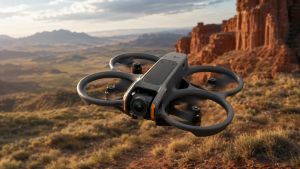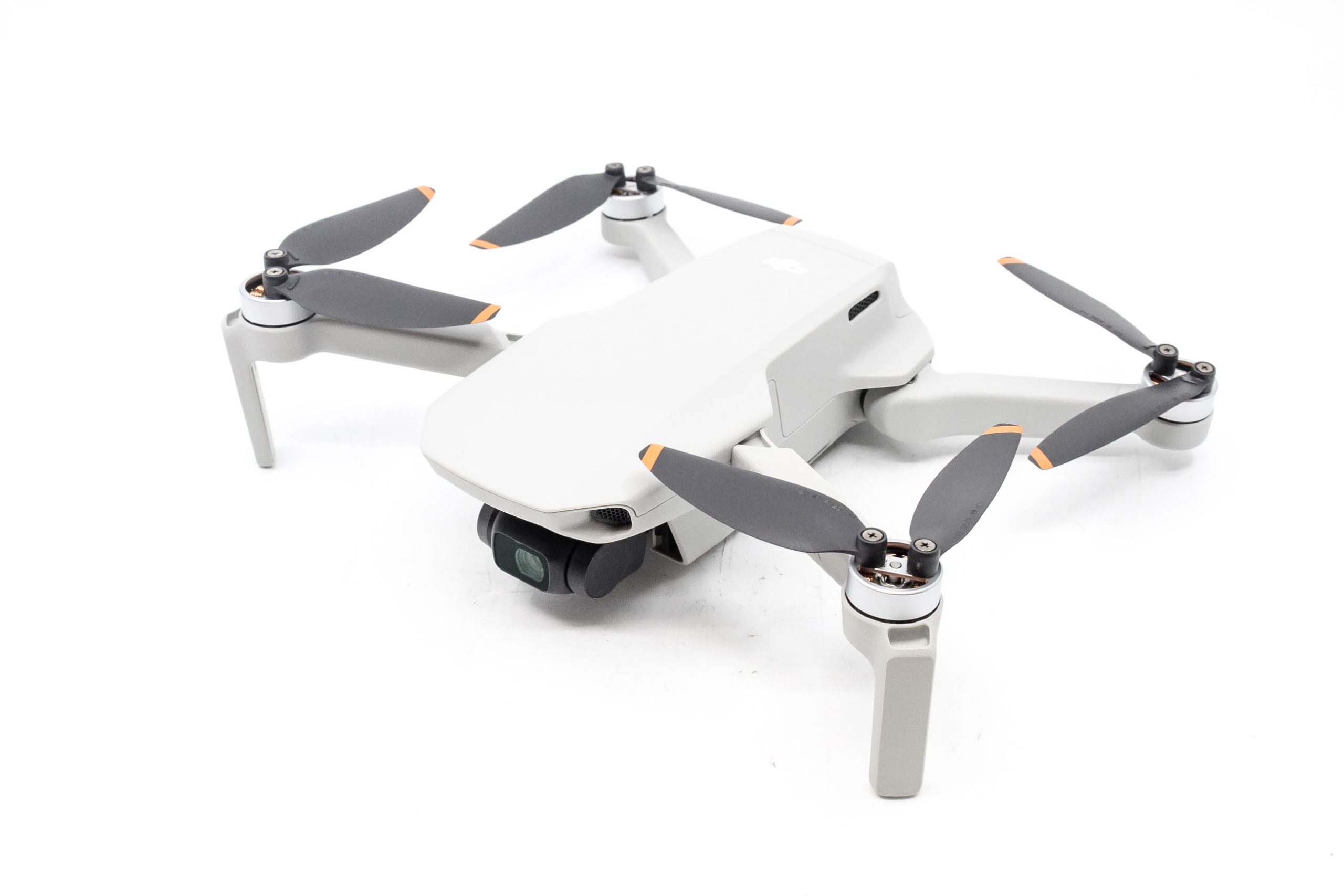
The DJI Mini 4K remains a smart first camera drone for beginners who want to learn real stick control and capture stable 4K video without paying for advanced automation. Its 246 g folding body, three-axis gimbal, satellite positioning, and Return to Home cover the essentials well. The major limitation is equally important: it has no forward, rear, or side obstacle sensing. Buy it if you will practice in open areas. Choose a more advanced model if you expect the drone to track subjects or help avoid obstacles.
Review Video
This DJI Mini 4K review is research-based, using current DJI documentation, current support and availability information, regulator guidance, and attributed hands-on findings. FPV Drone has not presented the product as personally tested.
Quick verdict
Yes, with an important qualification. The Mini 4K is a strong entry point for a careful beginner who wants a traditional camera drone, not a self-flying creator camera or immersive FPV system. Its stabilized camera, physical controller, positioning, and predictable flight behavior are better reasons to buy than its headline range or flight-time numbers.
Best for
First-time recreational pilots, daylight travel footage, aerial photos, and learning deliberate camera movements.
Not ideal for
Automatic tracking, obstacle-rich locations, native vertical video, low-light production, or goggles-based FPV.
Verify first
The seller, exact bundle, phone compatibility, app installation, battery count, charger, microSD card, and local rules.
Featured product
Featured gear
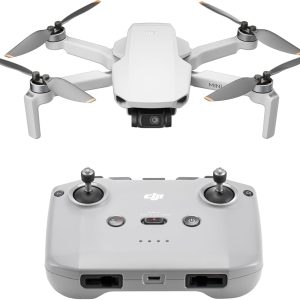
DJI Mini 4K Drone: Beginner 4K Camera Drone Under 249g
The DJI Mini 4K is an entry-level DJI camera drone built for beginners who want stabilized 4K footage without jumping into the higher-priced Mini models. It weighs under 249 g, supports 4K/30fps video, uses…
The DJI Mini 4K is an entry-level DJI camera drone built for beginners who want stabilized 4K footage without jumping into the higher-priced Mini models. It weighs under 249 g, supports 4K/30fps video, uses a 3-axis gimbal, and includes GPS-assisted flight features like Return to Home.
- Best for
- Best for new pilots who want a lightweight DJI camera drone with stabilized 4K…
- Skill level
- Beginner
- Product type
- Beginner Drones, Camera Drones, DJI Drones, Drones, Under 249g Drones
- Best for
- New pilots who want a lightweight DJI camera drone with stabilized 4K video, GPS-assisted…
- Skill level
- Beginner
- Product type
- Camera Drone
DJI Mini 4K at a glance
The Mini 4K is an entry-level folding camera drone built on DJI's established Mini 2 platform. It sends a 720p live view to a phone mounted on the RC-N1C controller, while a microSD card in the aircraft stores the full-resolution media. It is designed for stable, line-of-sight aerial photography rather than racing, freestyle, or conventional goggles-based FPV.
The table separates the advertised specification from the decision it should influence. That distinction matters because a large number can sound more important than it is during an actual beginner flight.
| Decision factor | Current published specification | What it means for a buyer |
|---|---|---|
| Standard takeoff weight | 246 g including the standard battery, propellers, and microSD card | Easy to carry and below the 250 g threshold used in some rules. Actual takeoff weight and the type of operation still matter. |
| Camera | 12 MP, 1/2.3-inch CMOS, 24 mm equivalent f/2.8 lens, JPEG and DNG | Well suited to daylight landscapes and travel, with less low-light and dynamic-range flexibility than larger-sensor Mini models. |
| Video | Up to 4K/30fps at 100 Mbps; 2.7K and Full HD up to 60fps; Normal color mode | Enough resolution for polished beginner footage, but no 4K/60 slow motion or flat video profile for extensive grading. |
| Stabilization | Three-axis mechanical gimbal | Keeps the horizon steady and makes smooth flight movements look like camera-drone footage rather than toy-drone video. |
| Maximum flight time | Up to 31 minutes under DJI's controlled test conditions | Safe usable time is shorter after wind, maneuvering, and a landing reserve are included. Additional batteries are valuable. |
| Transmission | DJI O2, up to 10 km FCC or 6 km CE/SRRC/MIC under specified ideal conditions | Think of this as link capability, not a practical or legal destination. A tiny aircraft becomes hard to see much sooner. |
| Positioning | GPS, GLONASS, Galileo, and a downward vision system | Supports stable outdoor hovering and Return to Home. It does not detect obstacles along most of the flight path. |
| Missing features | No directional obstacle sensing, ActiveTrack, true vertical shooting, controller screen, or internal media storage | These omissions define who will outgrow the aircraft. Decide whether any one of them is essential before comparing bundles. |
Buyer takeaway: the gimbal, positioning, and physical controller matter more to a first-time pilot than the maximum transmission figure. For a deeper breakdown of every number, see our DJI Mini 4K specifications guide.
Camera quality: good daylight 4K with clear limits
The strongest camera feature is the three-axis gimbal, not simply the 4K label. Mechanical stabilization controls tilt, roll, and pan so the horizon remains steady while the aircraft moves. That makes slow reveals, approaches, orbits, and landscape passes look controlled when the pilot flies smoothly.
The 1/2.3-inch sensor records 12 MP JPEG and DNG RAW photos, plus 4K video at up to 30 frames per second. Manual shutter speed, ISO, and white balance controls provide room to learn exposure instead of depending entirely on automatic settings. Digital zoom is available, but it crops the image and is not a substitute for flying closer safely or reframing during editing.
Where the footage looks best
Expect the best results in good daylight with gentle aircraft movements. Landscapes, beaches, properties, outdoor events viewed from a safe distance, and travel establishing shots suit the camera. A neutral-density filter can help produce natural motion blur in bright conditions, but a new pilot should learn exposure and safe flight before buying a large filter kit.
TechRadar's hands-on review reported detailed 4K footage in good light, smooth gimbal performance, useful manual exposure controls, and solid beginner value. Those findings support the Mini 4K's role as a capable starter camera, but they do not erase the limits of a small sensor.
Where the camera reaches its limit
Bright skies over dark ground can exceed the sensor's comfortable dynamic range, and image noise becomes more visible as light falls. Video tops out at 4K/30 rather than 4K/60, the camera does not rotate for native vertical capture, and the Normal color profile provides limited scope for demanding color grading.
The practical camera verdict is straightforward: the Mini 4K can teach composition, exposure, and smooth aerial movement while producing footage worth keeping. Creators who already know they need stronger low-light performance, native vertical framing, or advanced video profiles should pay for those capabilities at the start.
Flight time, range, and GPS: plan around reality
DJI publishes a maximum flight time of 31 minutes, measured while the aircraft flies at a constant 17 kph in windless, sea-level test conditions until forced landing from battery depletion. A normal flight includes takeoff, hovering, climbs, turns, wind, and a reserve for returning and landing. For planning purposes, the safe usable window matters more than the laboratory maximum.
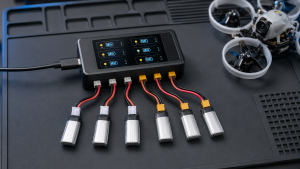
One battery can support a short learning session, but repeated setup and charging interrupt practice. Two or three batteries make it easier to spend one flight on basic control, another on camera movement, and a third on the shot you came to capture. Our DJI Mini 4K battery guide explains the bundle and charging decision in more detail.
What the 10 km transmission rating really means
DJI O2 is rated for up to 10 km under FCC conditions in an unobstructed, interference-free outdoor environment. Other regions use different limits, and buildings or radio congestion can reduce link quality. More importantly, maximum link distance does not account for seeing the aircraft, turning around in a headwind, or preserving enough power to land safely.
In the United States, recreational pilots must maintain visual line of sight. A 246 g drone becomes difficult to identify long before its theoretical link limit. Treat the transmission rating as connection headroom, not a route plan. See our focused guide to DJI Mini 4K range for the regional ratings and practical constraints.
GPS and Return to Home reduce workload, not responsibility
The aircraft uses GPS, GLONASS, and Galileo positioning to hold its location outdoors and record a home point. Return to Home can be initiated by the pilot and can respond to low-battery or signal-loss conditions. These features give a beginner time to reorient, but neither one can see a branch, wire, wall, or pole.
Wait for a recorded home point, review the map, and set a Return to Home altitude that clears nearby obstacles while remaining within applicable limits. Our article on how the Mini 4K uses GPS and Return to Home covers weak-signal behavior and common misunderstandings.
Check the current Mini 4K bundle
Compare the battery count, charger, microSD card, seller, condition, warranty region, and return terms before choosing by package price.
The biggest safety limitation: no directional obstacle avoidance
The Mini 4K has a downward vision system that helps with low-altitude positioning and landing. DJI's current specifications do not list forward, backward, sideways, or omnidirectional obstacle sensing.
This is the product's most important drawback for a beginner. A branch, power line, wall, sign, or person may remain completely outside what the downward system is designed to detect. Return to Home and automated QuickShots can still fly the aircraft into an object if the planned path is not clear.
Beginner rule: fly the Mini 4K as if it cannot see obstacles, because along most of its path it cannot. Use a large open area, stay close while learning orientation, and inspect the entire route before starting any automated camera move.
The lack of obstacle avoidance does not make the aircraft inherently unsuitable for beginners. It changes the kind of beginner it suits. A cautious pilot who wants to learn in open spaces can work around the limitation. Someone who expects the drone to protect itself near trees, buildings, or people should choose a model with appropriate sensing, while remembering that no sensing system replaces visual control.
Setup, bundle, and ownership details buyers miss
The standard package is not the entire first-flight shopping list. DJI lists the aircraft, RC-N1C controller, one Mini 2 Intelligent Flight Battery, phone cables, a gimbal protector, spare propellers and screws, a screwdriver, and a USB-C data cable. A wall charger, charging hub, and microSD card are not listed in the standard box. Retail bundles can differ, so verify the exact listing rather than assuming every Mini 4K package is equivalent.
The DJI U.S. store listed both the standard kit and Fly More Combo as out of stock when checked July 13, 2026. Availability differs by seller and region, making seller identity, warranty region, condition, battery age, and return terms especially important.
Your phone is part of the flight system
The RC-N1C provides physical sticks but no built-in display. A compatible phone connects by cable and runs DJI Fly. Check the phone model, operating system, connector, and physical fit before ordering. DJI's official DJI Fly download center continues to list the Mini 4K and Mini 2 SE product family.
Android users should resolve app installation before the return window becomes a concern. DJI distributes the current Android installer through its own site, and some phones may require permission to install from that source. A managed work phone can block the process. A phone that cannot run DJI Fly makes the package unusable regardless of the aircraft specifications.
Storage and charging require a plan
The aircraft has no internal media storage, so a compatible microSD card is required for normal onboard 4K recording. A U3 or V30-rated card from DJI's recommended list is a sensible starting point. The supplied USB-C data cable does not mean a wall power adapter is included.
Do not assume every Mini-series battery or accessory fits. Marketplace titles often group the Mini 4K with the Mini 2 and Mini 2 SE, but the exact DJI or third-party model number is a more reliable compatibility check. Cases, charging hubs, batteries, propellers, and filters should all be verified before ordering.
First-flight readiness checklist
- Charge the aircraft battery and controller, then confirm you have a suitable wall power adapter.
- Install DJI Fly from the official source and verify that the phone connects to the RC-N1C.
- Insert and format a compatible microSD card.
- Remove the gimbal protector, unfold the arms, and inspect each propeller for damage or incorrect installation.
- Activate the aircraft and install offered firmware updates with enough battery remaining.
- In the United States, complete TRUST, check airspace, and review current recreational requirements. Other countries and non-recreational operations have different rules.
- Use a large open field in light wind, wait for a recorded home point, and set an appropriate Return to Home altitude.
- Begin close to the pilot in Cine or Normal mode. Practice hovering, orientation, slow turns, simple boxes, and manual landings before trying QuickShots.
The full DJI Mini 4K setup checklist provides the detailed sequence. The important buying implication is to budget for a usable system, not only an aircraft box.
Who should buy the DJI Mini 4K?
Buy it if you want to learn camera-drone fundamentals
The Mini 4K makes the most sense for a first-time recreational pilot who wants to control the aircraft, compose shots, and learn smooth camera moves. Position hold and Return to Home reduce workload, while physical sticks and manual camera controls leave room to develop real skills.
Buy it for compact daylight travel footage
At 246 g, it is easy to carry with a phone, controller, and a few batteries. The gimbal and 4K camera can produce polished landscape and travel clips in favorable light. Travelers still need to check the rules at every destination because a sub-250 g marketing label is not a universal exemption.
Skip it if you need tracking or collision assistance
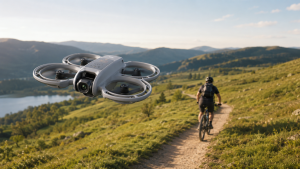
QuickShots can perform specific programmed moves, but they are not continuous Follow Me or ActiveTrack. Solo runners, cyclists, or hikers who want the aircraft to follow them should buy a system that explicitly supports that use. Pilots who will frequently fly near obstacles should prioritize appropriate sensing and a safe operating plan.
Skip it if vertical and advanced video are essential
The gimbal does not rotate for true vertical shooting, and the small sensor is not built for demanding low-light production. If vertical social content or a larger imaging sensor is central to the purchase, the Mini 4K's lower initial cost can become a false economy.
Skip it if your actual goal is FPV
The phone displays a live camera view, but this is not a conventional FPV system. It is not designed around low-latency goggles, acrobatic manual mode, repairable carbon-fiber frames, or interchangeable FPV electronics. Buyers who want immersive flight should start with a goggles-compatible aircraft or a simulator rather than treating the Mini 4K as an FPV upgrade path.
Best alternatives: choose the missing feature you need
The right alternative is not simply the next model by price. It is the aircraft that solves the Mini 4K limitation most likely to affect your flights.
| Your priority | Better fit | Why |
|---|---|---|
| Traditional camera-drone basics at the lowest sensible entry point | DJI Mini 4K | Three-axis stabilized 4K, satellite positioning, Return to Home, compact weight, and a physical controller. |
| Larger sensor and native vertical shooting | DJI Mini 3 | The 1/1.3-inch sensor and rotating camera provide more imaging flexibility without requiring a Pro model. |
| Obstacle sensing, tracking, and advanced creator features | A current higher-tier DJI Mini | Spend more when broader sensing, subject tracking, and advanced video options change what you can safely or creatively accomplish. |
| Simple self-filming and a goggles-compatible DJI path | DJI Neo family | This category prioritizes protected propellers, people-focused automation, and broader control options over the Mini 4K's travel-camera role. |
The DJI Mini 4K versus Mini 3 comparison is the most relevant next step for buyers who want stronger imaging but do not need the highest-tier Mini features. The DJI Mini 3 product guide consolidates its current specifications and ownership considerations.
Do not upgrade merely for a longer feature list. If you will fly manually in open areas and produce daylight landscape footage, the Mini 4K already covers the essentials. If one missing feature changes how or where you can use the drone, buying that capability now is usually more sensible than replacing the aircraft soon after.
Final verdict: still a strong beginner drone for the right pilot
The DJI Mini 4K is a strong first 4K camera drone for someone who wants to learn deliberate piloting, shoot stable daylight footage, and carry a compact system. The gimbal, position hold, Return to Home, manual camera controls, and established DJI Fly workflow provide useful fundamentals without requiring payment for every advanced feature.
It is not the safest-feeling or most automated option. No directional obstacle avoidance, no continuous subject tracking, no true vertical capture, and no internal storage are meaningful limitations. A buyer who needs any of them should choose a different model instead of expecting a later accessory to add the capability.
Recommendation: buy the Mini 4K when you will practice in clear open spaces and want to fly the camera yourself. Skip it when your use depends on obstacle-rich locations, autonomous tracking, vertical-first creation, advanced low-light work, or goggles-based FPV.
Verify the package before ordering
Check the seller, condition, warranty region, battery count, charging equipment, included storage, and return terms.
Frequently asked questions
Does a DJI Mini 4K require FAA registration?
In the United States, a standard 246 g Mini 4K flown solely under the recreational exception generally falls below the registration threshold because the FAA requires registration at 250 g or more. Recreational pilots still need TRUST and must follow airspace, visual-line-of-sight, and operating rules. Part 107 operations require registration, and added accessories can change the takeoff weight. Rules outside the United States differ.
Can the DJI Mini 4K fly indoors?
It can take off indoors, but that does not make a typical room a suitable beginner practice area. Satellite positioning may be unavailable, low light or reflective surfaces can reduce downward-system performance, and there is no directional obstacle avoidance. Learn outdoors in a legal, open area unless you have a large controlled indoor space and understand how the aircraft behaves without reliable satellite positioning.
How much wind can the DJI Mini 4K handle?
DJI publishes Level 5 wind resistance, up to 10.7 m/s or about 38 kph. That is an operating limit, not a good beginner target. Wind can be stronger above trees and buildings than it feels at ground level, and a return flight into a headwind uses more battery. Start in light, steady wind and keep generous distance and battery margins.
Does the DJI Mini 4K record sound?
The aircraft does not record useful onboard audio with its video. Even if a small drone had an exposed microphone, propeller and motor noise would dominate the recording. Add music, narration, or separately recorded ground audio during editing.
Is the DJI Mini 4K waterproof?
No. Do not fly it in rain, snow, fog, or conditions where moisture can enter the aircraft. Weather resistance should not be inferred from the wind-resistance rating.
Sources
- DJI Mini 4K specifications: official aircraft, camera, gimbal, battery, transmission, storage, controller, sensing, and test-condition information.
- DJI Mini 4K product page: current configurations, included items, feature overview, and U.S. availability checked July 13, 2026.
- DJI Mini 4K User Manual: operating limits, positioning, Return to Home, flight behavior, and safety guidance.
- DJI Download Center: current DJI Fly and Mini 4K product-family support information.
- FAA recreational flyer guidance: current U.S. registration threshold, TRUST, visual-line-of-sight, airspace, and operating requirements.
- TechRadar DJI Mini 4K hands-on review: attributed findings about image quality, controls, flight performance, wind behavior, and beginner suitability.
Last checked: July 13, 2026. Specifications, app support, regulations, bundles, availability, and compatibility can change.